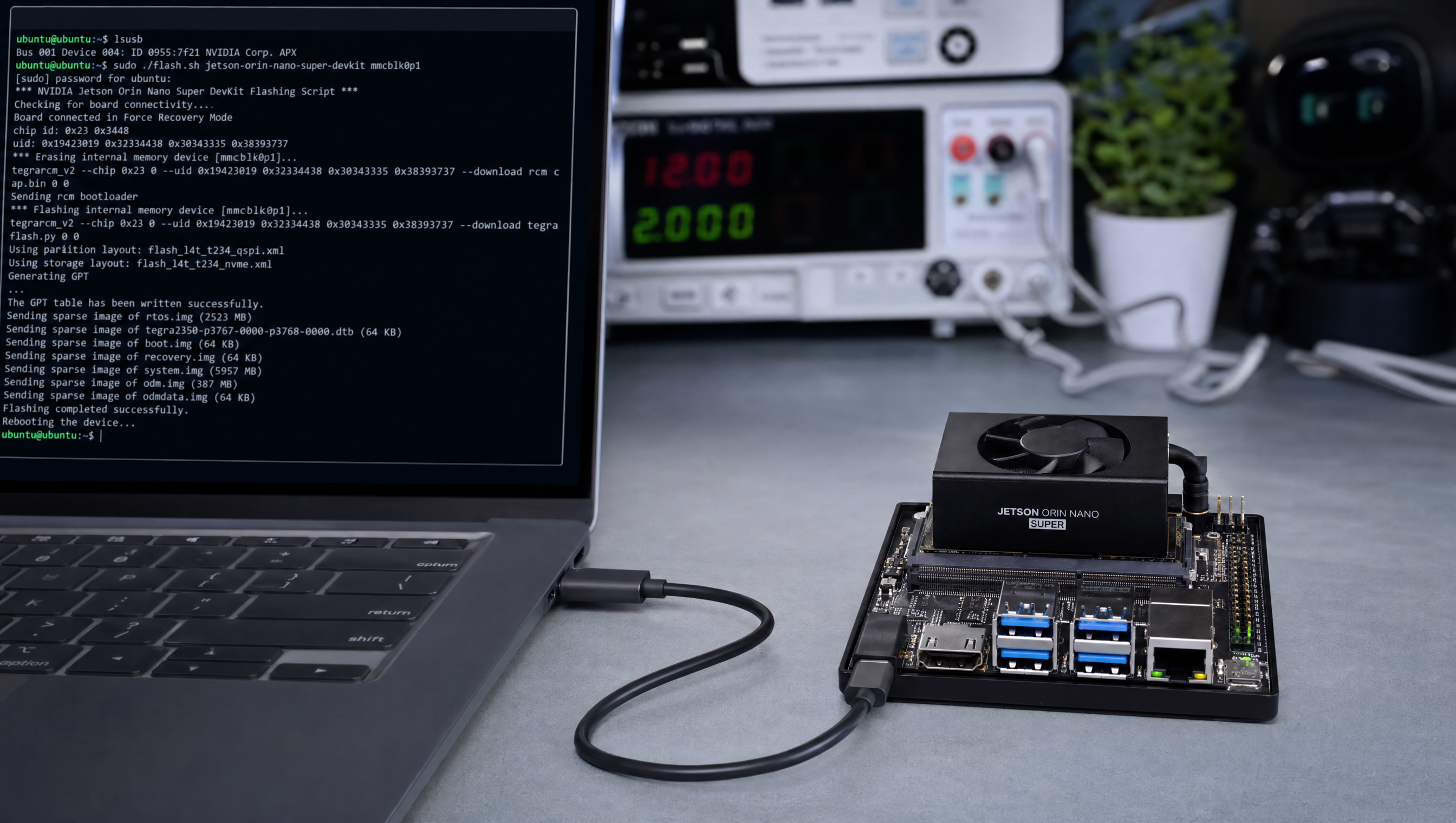
Flashing a custom Yocto image to Jetson Orin Nano Super, NVMe and eMMC
Flashing a custom Yocto image to Jetson Orin Nano Super involves a few specific choices around MACHINE name, storage target, and flash.sh flags that trip up engineers coming from other Jetson platforms. The Orin Nano Super uses the same MACHINE as the original Orin Nano in meta-tegra, the devkit has NVMe as primary storage (not eMMC), and the rootfs must be a compatible .ext4 image built with the scarthgap branch of meta-tegra.
Key Insights
- MACHINE =
jetson-orin-nano-devkit-nvmefor the standard Orin Nano Super devkit setup with NVMe rootfs scarthgapbranch of meta-tegra is required: JP 6.2+ / L4T R36.x; do not use thekirkstonebranch- flash.sh needs sudo and the L4T host tools: install from the BSP tarball or via SDK Manager; the Yocto build does not produce flash.sh
BOOTDEV_ROOTFSin the Yocto build controls which storage device the rootfs goes to, set tonvme0n1for NVMe- First flash must be done via USB-C recovery mode: subsequent rootfs updates can use
ota-updateor A/B partition switching, but the initial flash requires recovery mode
Prerequisites
# Host requirements (Ubuntu 20.04 or 22.04 x86_64)
apt install -y python3 python3-distutils abootimg simg2img \
    libxml2-utils xxd img2simg bc cpp dtc

# Download L4T R36.x BSP (host tools for flash.sh)
# From developer.nvidia.com/embedded/jetson-linux
tar xf Jetson_Linux_R36.x.0_aarch64.tbz2   # extracts Linux_for_Tegra/

# Download rootfs tarball (only if not using custom Yocto image)
# tar xf Tegra_Linux_Sample-Root-Filesystem_R36.x.0_aarch64.tbz2 \
#     -C Linux_for_Tegra/rootfs/
Building the Yocto image for Orin Nano Super
# Clone tegra-demo-distro (includes meta-tegra as submodule)
git clone https://github.com/OE4T/tegra-demo-distro
cd tegra-demo-distro
git checkout scarthgap        # JetPack 6.x branch
git submodule update --init

# Set up build environment for Orin Nano NVMe
. ./setup-env --machine jetson-orin-nano-devkit-nvme

# Build the image
bitbake demo-image-full       # or your custom image

# Output: build/tmp/deploy/images/jetson-orin-nano-devkit-nvme/
# Key files:
# - demo-image-full-jetson-orin-nano-devkit-nvme.ext4   ← rootfs
# - tegra234-p3767-0000-p3768-0000-orin.dtb             ← device tree
# - Image                                                ← kernel
Flashing to NVMe (standard devkit setup)
cd Linux_for_Tegra/

# Put Orin Nano into recovery mode:
# 1. Power off
# 2. Hold Force Recovery button (button near USB-C port)
# 3. Apply power (or press Reset while holding Force Recovery)
# 4. Release Force Recovery after 2 seconds

# Verify device is in recovery mode
lsusb | grep NVIDIA
# Bus 001 Device XXX: ID 0955:7523 NVIDIA Corp. APX

# Copy Yocto rootfs image to Linux_for_Tegra/rootfs
sudo mount -o loop \
    ../build/tmp/deploy/images/jetson-orin-nano-devkit-nvme/demo-image-full-jetson-orin-nano-devkit-nvme.ext4 \
    /mnt/rootfs_tmp
sudo rsync -a /mnt/rootfs_tmp/ rootfs/
sudo umount /mnt/rootfs_tmp

# Run apply_binaries.sh to inject NVIDIA binaries into rootfs
sudo ./apply_binaries.sh

# Flash to NVMe
sudo ./flash.sh jetson-orin-nano-devkit-nvme nvme0n1p1
Faster: direct .ext4 image flash
For repeated development flashes, use the --direct-block-device method to write the rootfs image directly without rsync:
# Generate the flash package (does not actually flash)
sudo ./flash.sh --no-flash jetson-orin-nano-devkit-nvme nvme0n1p1

# The prepared package is in mnt/
# Now flash with your Yocto rootfs directly
sudo ./flash.sh \
    --no-root-check \
    -r \           # reuse existing package (skip re-preparation)
    -k APP \       # update only the rootfs partition
    --image ../build/tmp/deploy/images/jetson-orin-nano-devkit-nvme/demo-image-full-jetson-orin-nano-devkit-nvme.ext4 \
    jetson-orin-nano-devkit-nvme nvme0n1p1
The -k APP flag flashes only the rootfs partition, skipping bootloader/UEFI re-flash. This takes 3-4 minutes instead of 8-10 for a full flash.
Partition layout verification
# After flashing and booting, verify partition layout
lsblk
# nvme0n1
# ├─nvme0n1p1   ← rootfs (APP partition)
# └─nvme0n1p2   ← var

# Check rootfs is mounted
df -h /
# /dev/nvme0n1p1  xxx G  xxx G  xxx G  xx% /

# Verify L4T version
cat /etc/nv_tegra_release
# # R36 (release), REVISION: 4.0 ...
Troubleshooting common flash failures
| Error | Cause | Fix |
|---|---|---|
No NVIDIA device found | Not in recovery mode | Hold Force Recovery, power cycle |
Partition APP not found | Wrong MACHINE name | Use jetson-orin-nano-devkit-nvme not jetson-orin-nano-devkit |
Error: NVMe device not detected | NVMe not installed in M.2 slot | Insert NVMe SSD before flashing |
apply_binaries.sh: rootfs not extracted | Skipped rootfs step | Extract Sample-Root-Filesystem or sync Yocto rootfs first |
Flash failed: protocol timeout | USB-C cable issue | Use a known-good USB-C cable; avoid USB 3.x hubs |
For flash.sh options and partition layout details, see flash.sh on Jetson Orin, complete guide.
FAQ
What is the Jetson Orin Nano Super?
A refreshed Orin Nano module with higher performance unlocked at 25W (MAXN mode), using the same T234 SoC as other Orin modules. Same carrier board as the original Orin Nano devkit. Requires JetPack 6.2+.
How do I flash a custom Yocto image to Jetson Orin Nano Super?
Build with MACHINE = jetson-orin-nano-devkit-nvme on the scarthgap meta-tegra branch, then flash with sudo ./flash.sh jetson-orin-nano-devkit-nvme nvme0n1p1 from the L4T host tools directory with the device in recovery mode.
What MACHINE name does Jetson Orin Nano Super use in meta-tegra?
jetson-orin-nano-devkit-nvme for NVMe rootfs. The Super uses the same MACHINE as the original Orin Nano, no separate name.
What is the difference between flashing to NVMe vs eMMC on Jetson Orin Nano?
The Orin Nano devkit uses NVMe as primary storage (no on-board eMMC). Use nvme0n1p1 as the rootfs target. microSD is available as an alternative with a different configuration.
Relevant Services
NVIDIA Jetson Expert Support
Stuck on a Jetson bring-up?
We've debugged this failure mode before. BSP, device tree, camera pipelines, OTA, most blockers clear in the first session. No long retainers. No guessing.
Frequently Asked Questions
What is the Jetson Orin Nano Super?
The Jetson Orin Nano Super is NVIDIA's refreshed Orin Nano module (released early 2025) with higher AI performance than the original Orin Nano. It uses the same T234 SoC as other Orin modules with higher power limits unlocked: 25W MAXN mode. It uses the same carrier board as the original Orin Nano Developer Kit and the same MACHINE name in meta-tegra. JetPack 6.2+ is required.
How do I flash a custom Yocto image to Jetson Orin Nano Super?
Use flash.sh with the MACHINE name matching your carrier board and target storage. For the devkit with NVMe: flash.sh jetson-orin-nano-devkit-nvme nvme0n1p1. For eMMC: flash.sh jetson-orin-nano-devkit mmcblk0p1. The rootfs must be the Yocto-built .ext4 image. Use --no-flash to prepare the flash package for offline use or to inspect the partition layout.
What MACHINE name does Jetson Orin Nano Super use in meta-tegra?
jetson-orin-nano-devkit for the microSD/eMMC variant and jetson-orin-nano-devkit-nvme for the NVMe variant. The Orin Nano Super uses the same MACHINE as the original Orin Nano, there is no separate MACHINE name. The higher performance is enabled via JetPack firmware and nvpmodel, not a different BSP configuration.
What is the difference between flashing to NVMe vs eMMC on Jetson Orin Nano?
The Orin Nano Developer Kit has no built-in eMMC on the carrier board, the module itself has no eMMC storage in the standard Nano configuration. NVMe (M.2 slot on the carrier) is the primary storage. The MACHINE name jetson-orin-nano-devkit-nvme targets NVMe root. microSD can also be used as rootfs with a different MACHINE configuration, but NVMe is preferred for performance and reliability in production.

Written by
Andrés CamposCo-Founder & CTO · ProventusNova
8 years deep in embedded systems, from underwater ROVs to edge AI. Andrés leads every technical delivery personally.
Connect on LinkedInRelated Articles
GMSL YUV422 capture and FORCE_FE errors on Jetson Orin, debug guide
Debug GMSL YUV422 capture issues on Jetson Orin, FORCE_FE decoder config, partial frame faults, and MAX9295/MAX9296 YUV format setup.
Jetson camera works with v4l2-ctl but fails to launch argus_camera, debug guide
Why your Jetson camera works with v4l2-ctl but argus_camera fails, tegra-camera DT node issues, sensor mode tables, and the V4L2-to-Argus fault path.
nvcompositor vs parallel GStreamer pipelines on Jetson Orin, when each is slower
When to use nvcompositor vs parallel GStreamer pipelines on Jetson Orin, why compositor is slower, and how to choose the right path for your workload.
Jetson Orin rootfs-ab slot switches to B unexpectedly, nvbootctrl debug
Why Jetson Orin switches to the B rootfs partition on reboot, how nvbootctrl works, and how to prevent unwanted slot switches with retry counters.