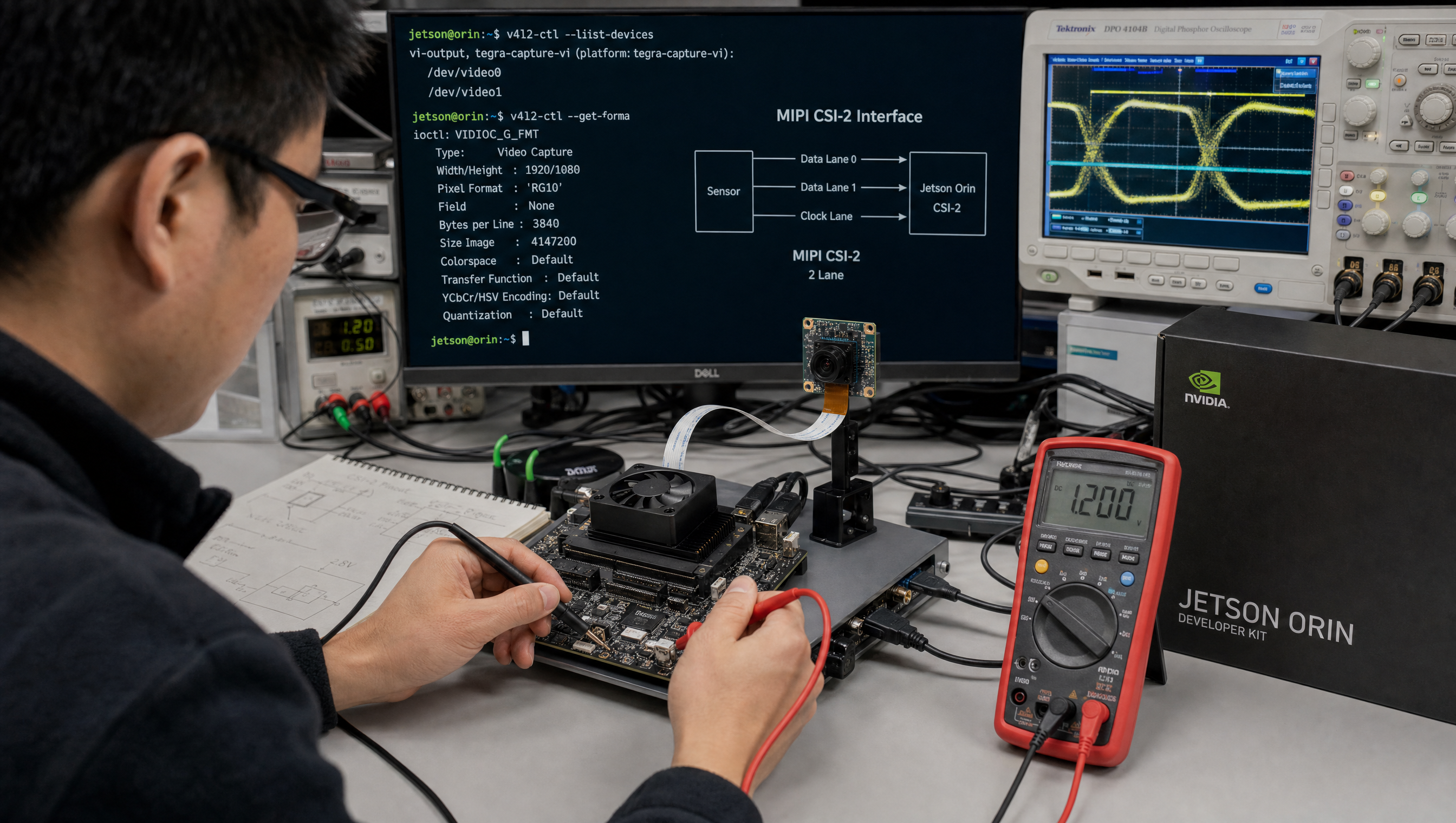
Jetson camera works with v4l2-ctl but fails to launch argus_camera, debug guide
The V4L2-works, Argus-fails failure mode is one of the most common Jetson camera bring-up issues because it’s easy to misread as a hardware problem when it’s purely a device tree metadata problem. V4L2 needs only CSI/VI hardware configuration. Argus needs additional software metadata, sensor dimensions, pixel format, clock rates, to initialize its ISP pipeline. Both read from device tree, but different nodes.
Key Insights
- V4L2 and Argus use different DT nodes: V4L2 uses the sensor and VI/NVCSI hardware nodes; Argus additionally requires
tegra-camera-platform sensor_modesmust match V4L2 format exactly: ifactive_w×active_h×pixel_tdoesn’t match what V4L2 reports, Argus fails at mode selectionLIBARGUS_ENABLE_LOGS=1is mandatory for debugging: without it, Argus failures produce onlyFailed to create capture sessionwith no root causephysical_wandphysical_hin mm are required: Argus uses physical sensor dimensions for ISP calibration; missing or zero values cause silent failures- The sensor_modes
cil_settletimemust be non-zero: a zero value causes NVCSI timing errors that appear during Argus but not V4L2 capture
The two-stack architecture
v4l2-ctl path:
  Sensor I2C driver → VI/NVCSI DT nodes → /dev/videoN → v4l2-ctl
  ↑ Works if CSI/VI config is correct

argus_camera path:
  Sensor I2C driver → VI/NVCSI DT nodes → /dev/videoN
                    ↓
              tegra-camera-platform node (Argus-specific)
                    ↓
              libargus / argus_daemon
                    ↓
              ICameraProvider → ICaptureSession
  ↑ Fails if tegra-camera-platform is missing or sensor_modes are wrong
The 5 most common root causes, ranked
From bring-up work, when v4l2-ctl streams but Argus fails, the cause is almost always one of these, in this order of likelihood:
- Missing or wrong
tegra-camera-platformmodule entry: thebadge,position, andproc-device-treepath must match the sensor node exactly; V4L2 doesn’t read this node, Argus does. sensor_modestiming that doesn’t match the sensor’s real output:pix_clk_hz,line_length, and lane count off by even one mode breaks Argus while raw V4L2 capture still works.- Missing V4L2 controls Argus requires: without exposure, gain, and frame-rate controls, the AE loop cannot initialize and capture-session creation fails.
embedded_metadata_heightmismatch: the sensor emits (or doesn’t emit) embedded metadata lines that the mode table doesn’t declare.- Stale
nvargus-daemonstate: after any DTB or driver reload:sudo systemctl restart nvargus-daemon. A surprising share of “broken” setups is just a daemon holding old state.
Work the list top-down before deep-diving the logs, the sections below show how to confirm each one.
Diagnosing with LIBARGUS_ENABLE_LOGS
# Always enable logs before running argus_camera
LIBARGUS_ENABLE_LOGS=1 argus_camera 2>&1 | tee /tmp/argus_debug.log

# Also useful: verbose logging
LIBARGUS_ENABLE_LOGS=3 argus_camera 2>&1 | head -100

# Key log entries to look for:
grep -E "sensor|mode|failed|error|tegra.camera|CameraProvider" /tmp/argus_debug.log
Common failure log messages and their causes:
| Log message | Root cause |
|---|---|
No cameras available | tegra-camera-platform node missing from DT |
Failed to get sensor modes | sensor_modes node missing under camera module in DT |
Sensor mode is incompatible | active_w/active_h/pixel_t don’t match V4L2 format |
Failed to create capture session | Any of the above, or argus_daemon not running |
Invalid sensor mode | cil_settletime = "0" or missing clock fields |
The tegra-camera-platform node
This node lives in the device tree overlay alongside your sensor node:
/ {
    tegra-camera-platform {
        compatible = "nvidia, tegra-camera-platform";

        /* Global parameters, size these to your pipeline */
        num_csi_lanes = <4>;
        max_lane_speed = <1500000>;
        min_bits_per_pixel = <10>;
        vi_peak_byte_per_pixel = <2>;
        vi_bw_margin_pct = <25>;
        max_pixel_speed = <7680000>;
        isp_peak_byte_per_pixel = <5>;
        isp_bw_margin_pct = <25>;

        modules {
            module0 {
                status = "okay";
                badge = "imx219_topleft";      /* unique identifier */
                position = "topleft";           /* display position */
                orientation = "1";

                drivernode0 {
                    status = "okay";
                    pcl_id = "v4l2_sensor";
                    /* Path to your sensor I2C node in DT */
                    sysfs-device-tree = "/sys/firmware/devicetree/base/i2c@3160000/imx219@10";
                    is_silicon = "1";
                };
            };
        };
    };
};
The sensor_modes table
Each sensor_mode entry maps to an Argus capture mode. The fields must match your actual sensor output:
/* In the sensor node itself (not tegra-camera-platform) */
imx219@10 {
    /* ... other fields ... */

    mode0 {    /* Argus mode index 0 */
        num_lanes     = "4";
        tegra_sinterface = "serial_a";
        phy_mode      = "DPHY";
        discontinuous_clk = "no";
        dpcm_enable   = "false";
        cil_settletime = "100";          /* MUST be non-zero */

        /* These must match v4l2-ctl --get-fmt-video output exactly */
        active_w      = "1920";
        active_h      = "1080";
        pixel_t       = "bayer_rggb10";  /* match pixelformat */

        readout_orientation = "0";
        line_length   = "3448";          /* active_w + horizontal blanking */
        inherent_gain = "1";
        mclk_multiplier = "25.0";
        pix_clk_hz    = "182400000";     /* pixel clock from datasheet */

        min_gain_val  = "1.0";
        max_gain_val  = "16.0";
        min_hdr_ratio = "1";
        max_hdr_ratio = "1";
        min_framerate = "30.000000";
        max_framerate = "30.000000";
        min_exp_time  = "34";
        max_exp_time  = "550385";
    };
};
Cross-checking sensor_modes against V4L2
# Step 1: Get V4L2 format info
v4l2-ctl -d /dev/video0 --list-formats-ext
# Note: width, height, pixel format

# Step 2: Get exact frame byte count
v4l2-ctl -d /dev/video0 \
  --set-fmt-video=width=1920,height=1080,pixelformat=RG10 \
  --stream-mmap --stream-count=1 --stream-to=/tmp/test.raw

wc -c /tmp/test.raw
# For RG10 (BAYER RAW10): 1920 * 1080 * 2 = 4,147,200 bytes
# If size doesn't match, active_w or active_h in sensor_modes is wrong

# Step 3: Run Argus with matching mode
# If mode 0 fails, try mode 1, 2 etc.
LIBARGUS_ENABLE_LOGS=1 argus_camera --sensor-id=0
Quick checklist for V4L2-works, Argus-fails
tegra-camera-platformnode exists in DT andstatus = "okay"modules/module0/drivernode0/sysfs-device-treepath is correct (verify withlson the running system)sensor_modes/mode0/active_wandactive_hmatch V4L2 reported resolutionsensor_modes/mode0/pixel_tmatches V4L2 pixel format (bayer_rggb10,yuv_uyvy8, etc.)cil_settletimeis non-zeroargus_daemonis running:systemctl status argus-daemon- No LIBARGUS errors in
journalctl -u argus-daemon
For the broader Argus camera driver documentation, see Argus API and camera driver setup on Jetson. For nvargus crash and deadlock debugging after session creation succeeds, see nvargus crash and CaptureScheduler deadlock debugging.
FAQ
If v4l2-ctl works on my Jetson camera, why does argus_camera fail?
V4L2 only needs CSI/VI hardware configuration. Argus additionally requires a tegra-camera-platform device tree node with a sensor_modes table matching the V4L2 pixel format. A working V4L2 camera with a missing or mismatched tegra-camera-platform node will fail for Argus every time.
What does argus_camera ‘Failed to create capture session’ mean?
Missing tegra-camera-platform node, no matching sensor modes, zero physical_w/physical_h, or argus_daemon not running. Enable LIBARGUS_ENABLE_LOGS=1 to see the specific failure point.
What is the tegra-camera-platform node and why does Argus need it?
An NVIDIA-specific DT node with sensor metadata, physical dimensions, sensor modes, clock rates, that Argus uses to configure the ISP. V4L2 doesn’t use it; Argus cannot function without it.
How do I find the correct sensor_modes values for my camera?
From the sensor datasheet: active pixel dimensions, pixel clock, horizontal blanking (for line_length). Verify by cross-checking raw frame byte count from v4l2-ctl against active_w * active_h * bytes_per_pixel.
Relevant Services
NVIDIA Jetson Expert Support
Stuck on a Jetson bring-up?
We've debugged this failure mode before. BSP, device tree, camera pipelines, OTA, most blockers clear in the first session. No long retainers. No guessing.
Frequently Asked Questions
If v4l2-ctl works on my Jetson camera, why does argus_camera fail?
v4l2-ctl accesses the camera via the raw V4L2 kernel interface, which only needs a working CSI/VI configuration. argus_camera uses the libargus API, which adds the Argus ISP pipeline on top of V4L2. Argus requires a valid tegra-camera-platform node in the device tree with a sensor_modes table that matches the formats reported by V4L2. A V4L2-working, Argus-failing camera almost always has a missing or mismatched sensor_modes entry.
What does argus_camera 'Failed to create capture session' mean?
This error means libargus could not initialize an ICaptureSession for the specified sensor ID. Most common causes: the tegra-camera-platform node is missing from the device tree, the sensor_modes table has no entries that match the V4L2 format, or the sensor physical width/height metadata is set to 0 or missing. Run LIBARGUS_ENABLE_LOGS=1 argus_camera to see which specific step fails.
What is the tegra-camera-platform node and why does Argus need it?
tegra-camera-platform is an NVIDIA-specific device tree node that describes camera module metadata: sensor name, physical dimensions, sensor modes (resolution, pixel format, line length, clock), and CSI port assignment. V4L2 doesn't need this metadata. Argus uses it to configure the ISP and to expose sensor modes to the CameraProvider API. Without it, Argus cannot query available modes and fails at session creation.
Does restarting nvargus-daemon fix Argus failures?
Often, yes, after any device tree or camera driver change, run 'sudo systemctl restart nvargus-daemon'. The daemon caches camera enumeration state; a stale daemon makes a correctly configured camera fail with 'Failed to create capture session'. Restart it before assuming your DTS or driver is wrong.
How do I find the correct sensor_modes values for my camera?
Start with the values from your sensor datasheet: active pixel area dimensions, pixel clock frequency, horizontal blanking period (for line_length), and vertical blanking period (for frame_length). Cross-check by capturing raw frames with v4l2-ctl and measuring the actual byte count per frame to confirm active_w * active_h matches. NVIDIA publishes reference sensor_modes for the IMX219, IMX477, and OV5693 in the L4T documentation.

Written by
Andrés CamposCo-Founder & CTO · ProventusNova
8 years deep in embedded systems, from underwater ROVs to edge AI. Andrés leads every technical delivery personally.
Connect on LinkedInRelated Articles
GMSL YUV422 capture and FORCE_FE errors on Jetson Orin, debug guide
Debug GMSL YUV422 capture issues on Jetson Orin, FORCE_FE decoder config, partial frame faults, and MAX9295/MAX9296 YUV format setup.
How to enable CSI0 on Jetson Orin in the device tree
Enable CSI0, CSI1, and CSI2 on Jetson Orin by configuring nvcsi and VI device tree nodes, port status, and lane count in your DT overlay.
nvargus crash and CaptureScheduler deadlock on Jetson, debug guide
Debug nvargus core dumps and CaptureScheduler deadlock on Jetson. libargus logs, JP6 libnvscf regression, and watchdog recovery patterns.
GPIO and PWM configuration on Jetson Orin, pinmux, sysfs, and device tree
Configure GPIO output and PWM on Jetson Orin using sysfs, the pinmux spreadsheet, and device tree overlays, with working examples for each approach.