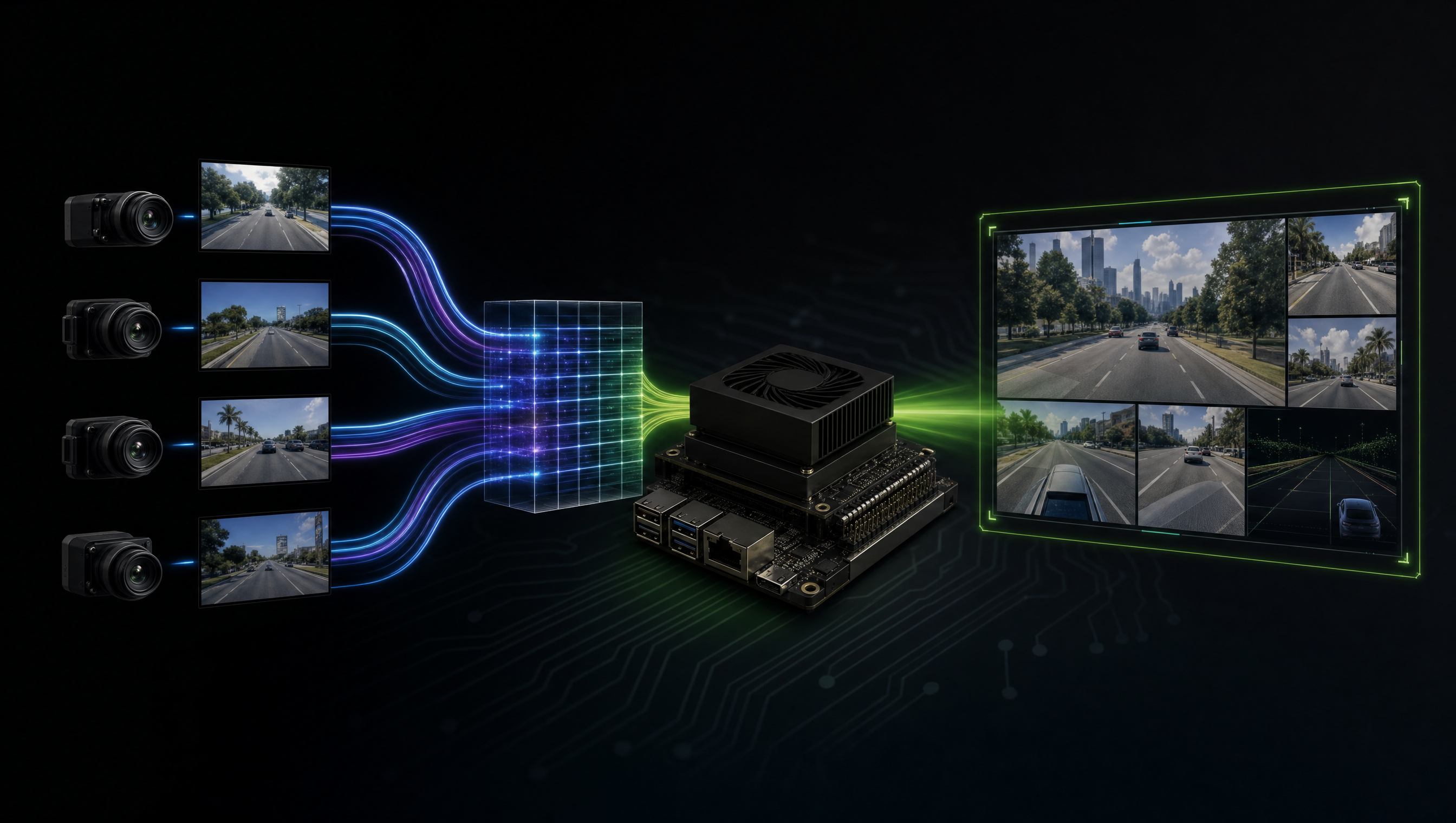
nvcompositor vs parallel GStreamer pipelines on Jetson Orin, when each is slower
nvcompositor and parallel GStreamer pipelines both handle multi-stream video on Jetson, but they are optimized for different goals. nvcompositor is for synchronized multi-stream display compositing, the VIC engine guarantees all input streams are aligned to the same output frame. Parallel pipelines are for independent per-stream processing, each pipeline runs without waiting for others. Choosing wrong costs you 30–60ms of added latency per stream.
Key Insights
- nvcompositor synchronizes by design: it waits for all input pads to have a buffer before compositing; this is a feature when sync is needed, a liability when it’s not
- VIC is a single-instance hardware block: all nvcompositor instances share one VIC; if VIC is saturated, additional compositor inputs queue up
- Parallel pipelines use independent buffer queues: no cross-pipeline synchronization, each stream processes at its own pace
nvmultistreamtileris faster than nvcompositor for display tiling: it uses the same VIC but with an optimized batch path designed for the N-up tiling use case- The performance crossover depends on stream count: for 1–2 streams, nvcompositor overhead is negligible; for 4+ streams at 1080p+, parallel pipelines become noticeably faster
nvcompositor: how it works internally
Stream 0 ──► nvcompositor pad 0 ─┐
Stream 1 ──► nvcompositor pad 1 ─┤
Stream 2 ──► nvcompositor pad 2 ─┤──► VIC ──► Composited output
Stream 3 ──► nvcompositor pad 3 ─┘
                                  ▲
                           Waits for all pads
                           to have a buffer
The compositor’s sync mechanism:
- Wait for all input pads to have a buffer at the same (or close) PTS
- Pass all buffers to VIC in one batch
- Output the composited frame
If any one input stream stalls or runs slow, all output stalls.
Parallel pipelines: how they differ
Stream 0 ──► Pipeline 0 ──► Sink 0   (independent)
Stream 1 ──► Pipeline 1 ──► Sink 1   (independent)
Stream 2 ──► Pipeline 2 ──► Sink 2   (independent)
Stream 3 ──► Pipeline 3 ──► Sink 3   (independent)
Each pipeline runs in its own GLib main loop thread. A slow stream affects only its own output.
Benchmark comparison
Testing on AGX Orin with 4× 1080p30 NV12 streams:
| Approach | Throughput | End-to-end latency | CPU overhead |
|---|---|---|---|
| nvcompositor (sync=true) | All streams at 28fps (bottleneck = slowest) | ~95ms | Low (VIC-bound) |
| nvcompositor (sync=false) | Each stream at its native rate | ~45ms | Low (VIC-bound) |
| Parallel pipelines (no display) | Each stream at native rate | ~20ms | Medium (per-stream) |
| nvmultistreamtiler (display) | All streams at 30fps tiled | ~35ms | Low (VIC-optimized) |
When to use nvcompositor
Use nvcompositor when:
- You need synchronized multi-stream compositing for display
- Streams must share the same output timestamp (surveillance mosaic, robotics multi-camera sync)
- You want a single HDMI/DSI output surface with all streams composed
# 4-camera mosaic with nvcompositor
gst-launch-1.0 \
  nvcompositor name=comp \
    sink_0::xpos=0   sink_0::ypos=0   sink_0::width=960 sink_0::height=540 \
    sink_1::xpos=960 sink_1::ypos=0   sink_1::width=960 sink_1::height=540 \
    sink_2::xpos=0   sink_2::ypos=540 sink_2::width=960 sink_2::height=540 \
    sink_3::xpos=960 sink_3::ypos=540 sink_3::width=960 sink_3::height=540 ! \
  nvvidconv ! \
  'video/x-raw(memory:NVMM),width=1920,height=1080' ! \
  nvdrmvideosink \
  v4l2src device=/dev/video0 ! nvvidconv ! 'video/x-raw(memory:NVMM)' ! comp.sink_0 \
  v4l2src device=/dev/video2 ! nvvidconv ! 'video/x-raw(memory:NVMM)' ! comp.sink_1 \
  v4l2src device=/dev/video4 ! nvvidconv ! 'video/x-raw(memory:NVMM)' ! comp.sink_2 \
  v4l2src device=/dev/video6 ! nvvidconv ! 'video/x-raw(memory:NVMM)' ! comp.sink_3
When to use parallel pipelines
Use parallel pipelines when:
- Each stream goes to an independent output (separate inference, separate RTSP stream)
- Streams have different resolutions or framerates
- Latency per stream matters more than synchronized output
- One stream may stall intermittently without affecting others
import gi
gi.require_version('Gst', '1.0')
from gi.repository import Gst, GLib

Gst.init(None)

def make_pipeline(device, stream_id):
    pipeline = Gst.parse_launch(
        f"v4l2src device={device} ! "
        f"video/x-raw,format=NV12,width=1920,height=1080,framerate=30/1 ! "
        f"queue max-size-buffers=2 leaky=downstream ! "
        f"nvvidconv ! video/x-raw(memory:NVMM) ! "
        f"nvinfer config-file-path=infer_config_{stream_id}.txt ! "
        f"nvdsosd ! fakesink"
    )
    return pipeline

pipelines = [
    make_pipeline("/dev/video0", 0),
    make_pipeline("/dev/video2", 1),
    make_pipeline("/dev/video4", 2),
    make_pipeline("/dev/video6", 3),
]

for p in pipelines:
    p.set_state(Gst.State.PLAYING)

loop = GLib.MainLoop()
loop.run()
nvmultistreamtiler: the right tool for tiled display
For multi-camera display (the most common nvcompositor use case), nvmultistreamtiler is purpose-built and faster:
gst-launch-1.0 \
  nvstreammux name=mux batch-size=4 \
    width=1920 height=1080 ! \
  nvmultistreamtiler rows=2 columns=2 \
    width=1920 height=1080 ! \
  nvvidconv ! \
  'video/x-raw(memory:NVMM),format=NV12' ! \
  nvdrmvideosink \
  v4l2src device=/dev/video0 ! nvvidconv ! 'video/x-raw(memory:NVMM)' ! mux.sink_0 \
  v4l2src device=/dev/video2 ! nvvidconv ! 'video/x-raw(memory:NVMM)' ! mux.sink_1 \
  v4l2src device=/dev/video4 ! nvvidconv ! 'video/x-raw(memory:NVMM)' ! mux.sink_2 \
  v4l2src device=/dev/video6 ! nvvidconv ! 'video/x-raw(memory:NVMM)' ! mux.sink_3
nvmultistreamtiler uses VIC’s batch tiling path directly, bypassing the general compositor synchronization logic.
Profiling your pipeline
# Enable GStreamer pipeline profiling
GST_DEBUG="GST_PERFORMANCE:5" gst-launch-1.0 ...

# Measure buffer latency per element
GST_DEBUG="GST_TRACER:7" \
GST_TRACERS="latency(flags=pipeline+element)" \
gst-launch-1.0 ...

# Check VIC utilization with tegrastats
tegrastats --interval 500 | grep VIC
For GStreamer pipeline latency reduction techniques beyond compositor choice, see Reducing GStreamer pipeline latency on Jetson. For GStreamer pipeline examples including live streaming, see GStreamer pipeline examples for Jetson.
FAQ
Why is nvcompositor slower than running parallel GStreamer pipelines on Jetson?
nvcompositor waits for all input streams to have synchronized buffers before compositing, this adds latency proportional to the slowest stream. Parallel pipelines run independently with no cross-stream synchronization.
When should I use nvcompositor on Jetson?
When you need synchronized multi-stream compositing onto a single output surface, a camera mosaic where all streams must appear at the same timestamp. If streams are independent, parallel pipelines are faster.
What hardware does nvcompositor use on Jetson Orin?
The VIC (Video Image Compositor) hardware block, a dedicated fixed-function engine for scaling, colorspace conversion, and compositing. VIC is single-instance; all compositor traffic shares it.
Is there a way to use nvcompositor without synchronization overhead?
Set sync=false on compositor input pads for asynchronous compositing. For display tiling specifically, nvmultistreamtiler is a faster purpose-built alternative.
Relevant Services
NVIDIA Jetson Expert Support
Stuck on a Jetson bring-up?
We've debugged this failure mode before. BSP, device tree, camera pipelines, OTA, most blockers clear in the first session. No long retainers. No guessing.
Frequently Asked Questions
Why is nvcompositor slower than running parallel GStreamer pipelines on Jetson?
nvcompositor serializes all input streams through a single VIC (Video Image Compositor) hardware pass, adding synchronization overhead between streams. Parallel pipelines let each stream proceed independently without waiting for others. The latency difference is most visible when input streams have different resolutions or framerates, nvcompositor must wait for the slowest input to compose each output frame.
When should I use nvcompositor on Jetson?
Use nvcompositor when you need synchronized multi-stream compositing onto a single display surface, for example, a 4-up camera mosaic where all streams must be displayed at the same timestamp. If your streams don't need synchronization or each stream goes to an independent output, parallel pipelines are faster.
What hardware does nvcompositor use on Jetson Orin?
nvcompositor uses the VIC (Video Image Compositor) hardware engine, which handles scaling, colorspace conversion, and compositing in one pass. VIC is a dedicated fixed-function block separate from the GPU. When VIC is the bottleneck, adding more input streams to nvcompositor degrades throughput for all streams.
Is there a way to use nvcompositor without the synchronization overhead?
Set sync=false on nvcompositor input pads to allow asynchronous compositing, it will output at the source framerate without waiting for all inputs. This trades sync accuracy for throughput. Alternatively, use nvmultistreamtiler, which is designed for multi-stream display tiling on Jetson with lower overhead than a generic compositor.

Written by
Andrés CamposCo-Founder & CTO · ProventusNova
8 years deep in embedded systems, from underwater ROVs to edge AI. Andrés leads every technical delivery personally.
Connect on LinkedInRelated Articles
nvargus crash and CaptureScheduler deadlock on Jetson, debug guide
Debug nvargus core dumps and CaptureScheduler deadlock on Jetson. libargus logs, JP6 libnvscf regression, and watchdog recovery patterns.
nvvidconv performance collapse with multiple GStreamer processes on Jetson
Running multiple GStreamer pipelines as separate processes on Jetson? nvvidconv throughput can drop 5-10x. Here's why VIC contention causes it and the.
GMSL YUV422 capture and FORCE_FE errors on Jetson Orin, debug guide
Debug GMSL YUV422 capture issues on Jetson Orin, FORCE_FE decoder config, partial frame faults, and MAX9295/MAX9296 YUV format setup.
nvarguscamerasrc pipeline examples for Jetson
nvarguscamerasrc pipeline examples for Jetson, copy-paste commands for capture, encode, decode, plus when to use v4l2src instead.