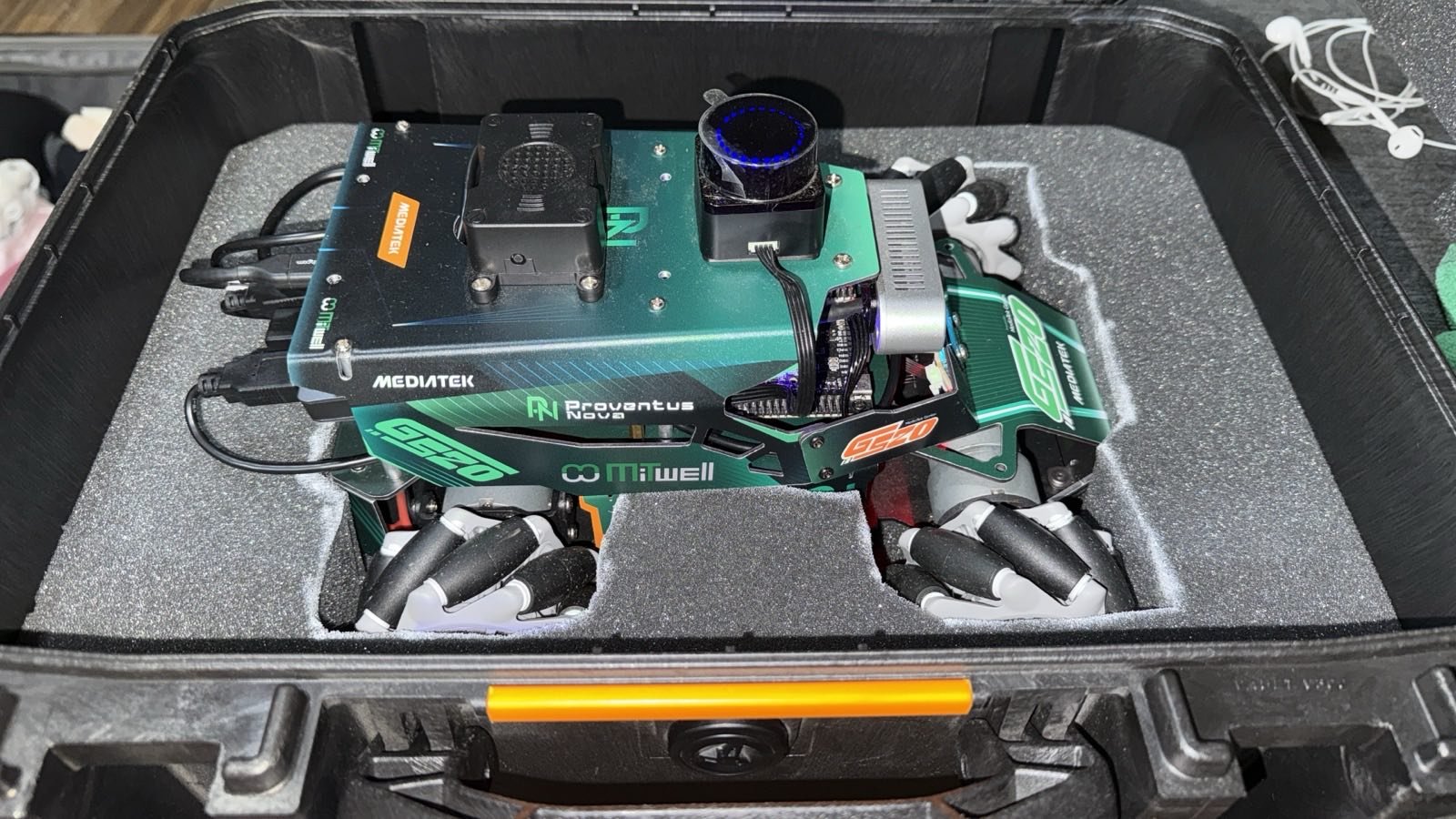
YOLOv8 Object Detection on the MediaTek Genio NPU
Our robot needed to find people and a ball from a live camera, on the robot itself, with no fan and no cloud. We started where most teams start, running YOLOv8 on the CPU. It technically worked and it was unusable. Here is what the numbers looked like, and what it took to fix them.
Key Insights
- YOLOv8s on the MediaTek Genio 520 CPU ran at 426 ms per frame and drove the chip to 84 C, throttling under its own load
- The same model on the Genio NPU ran at 32 ms per frame at 58 to 60 C, about 13 times faster and cool enough to run fanless
- The NPU output matched the CPU output on the same frames, so this was a speed and thermal win, not a change in accuracy
- The real work is converting the model to the accelerator’s format correctly, especially the detection head, not the runtime
- On a fanless edge board, on-device vision is a thermal problem before it is a speed problem, and the NPU solves both at once
The problem: the CPU cannot do this
YOLOv8s at a normal input size on the Genio’s CPU cores runs at about 426 milliseconds per frame. That is roughly two frames per second, and to get even that the board pins every core at maximum clock. The chip climbs past 80 C and sits at 84 C, above the point where it wants to throttle. On a robot with no fan, in a warm exhibition hall, that is not a demo you can leave running.
You cannot cap the CPU usage your way out of it either. The inference is simply slower than the frame rate you want, so limiting cores just makes it slower. The workload is on the wrong processor.
The fix, in shape: move it to the NPU
The MediaTek Genio has a dedicated neural accelerator. Moving YOLOv8 onto it took the same model to 32 milliseconds per frame at 58 to 60 C, with the camera and the rest of the stack running at the same time. That is about 13 times faster, and roughly 25 degrees cooler, on the same board doing the same job.
Crucially, the detections did not change. We ran the accelerator output against the CPU output on identical frames and got the same results, down to a person detected at 0.86 confidence on a reference image. This is the outcome you want: the NPU is not a lossy shortcut, it is the correct place to run the model.
| YOLOv8s on the Genio 520 | Per frame | SoC temperature | Practical result |
|---|---|---|---|
| CPU | 426 ms | 84 C (throttling) | ~2 fps, cannot run fanless |
| NPU | 32 ms | 58-60 C | ~8-9 fps, runs fanless |
What it takes, and where it gets hard
At a high level the path is what you would expect. The model has to be converted from its trained form into the format the accelerator loads. Then it runs through the on-device runtime that already ships on the Genio image, so you do not need any special runtime libraries on the target to execute it.
The difficulty is in the conversion, and specifically in the parts of a detection network that do not map cleanly onto the accelerator. A YOLO model is not just a stack of convolutions; the detection head does work that needs care to land on the NPU without losing correctness or speed. Getting that conversion right, for your exact model and your exact board, is the engineering, and it is the difference between the 426 ms result and the 32 ms one.
That conversion work is what we do. We have kept the step-by-step out of this post on purpose, because the interesting question for a product team is not the command line, it is whether your model can hit your frame rate and thermal budget on the silicon you have chosen. That is a question we can answer quickly.
When this matters for your product
If you are putting a camera and a vision model on a fanless or battery-powered edge device, assume from the start that the CPU is not where inference belongs. The order of operations that saves teams months is: pick the board for its accelerator, confirm your model converts and hits your numbers on it, then build the product around that. Discovering at integration time that your detector cooks the board is an expensive way to learn the same thing.
We do this on the MediaTek Genio and on NVIDIA Jetson: get a real model running on the real accelerator, at the frame rate and temperature your product needs, on a fixed timeline. If that is your problem, tell us what you are building and we will tell you the fastest way to a working result. For the wider picture of the robot this came from, see the ROSOrin build overview.
Relevant Services
MediaTek Genio Expert Support
Building on MediaTek Genio?
BSP bring-up, GStreamer pipelines, NeuroPilot integration, we've shipped it. Get unblocked fast. One call to scope it, fixed bid to deliver it.
Frequently Asked Questions
Can you run YOLOv8 on the MediaTek Genio NPU?
Yes. On our ROSOrin robot, YOLOv8s runs on the MediaTek Genio 520 neural accelerator at about 32 ms per frame, roughly 8 to 9 frames per second, with the same detections the CPU produced. The model has to be converted to the accelerator's format first, and it runs through the on-device runtime that ships with the Genio image.
How much faster is the Genio NPU than the CPU for YOLOv8?
On our board the same YOLOv8s model went from 426 ms per frame on the CPU to 32 ms per frame on the NPU, about 13 times faster. Just as important, the CPU version pinned all cores and pushed the chip to 84 C, while the NPU version held around 58 to 60 C, which is what lets the board run without a fan.
Does moving detection to the NPU change the results?
In our case, no. We validated the NPU output against the CPU output on the same frames and got matching detections, for example the same person detection at 0.86 confidence. The gain is speed and thermals, not a change in what the model sees, provided the conversion is done carefully.
What is the catch with running YOLO on the Genio NPU?
The model conversion is where the difficulty lives. Not every operation in a detection network maps cleanly to the accelerator, and the detection head in particular needs attention. Getting a correct, fast conversion for your specific model and board is the engineering work; once it exists, running it on-device is straightforward.
Written by
Andrés CamposCo-Founder & CTO · ProventusNova
8 years deep in embedded systems, from underwater ROVs to edge AI. Andrés leads every technical delivery personally.
Connect on LinkedInRelated Articles
NPU vs CPU on the MediaTek Genio: the Thermal Reality
On a fanless MediaTek Genio, running a vision model on the CPU pushed our robot to 84 C and throttled. On the NPU it held 58 C. Why edge AI is a heat problem.
MediaTek Genio for computer vision: a practical guide
Build a computer vision pipeline on MediaTek Genio. Camera capture, GStreamer, OpenCV, TFLite NPU inference, and end-to-end object detection pipeline examples.
ONNX Runtime on the MediaTek Genio NPU (520 and 720)
Run ONNX Runtime on the Genio NPU. Only the Genio 520 and 720 support the NeuronExecutionProvider out of the box, plus the mandatory FP16 flag and benchmarks.
Getting started with Ubuntu on MediaTek Genio
Run Ubuntu on MediaTek Genio: supported boards, first boot, the genio-public BSP PPA, hardware video and NPU packages, and how it differs from Yocto.