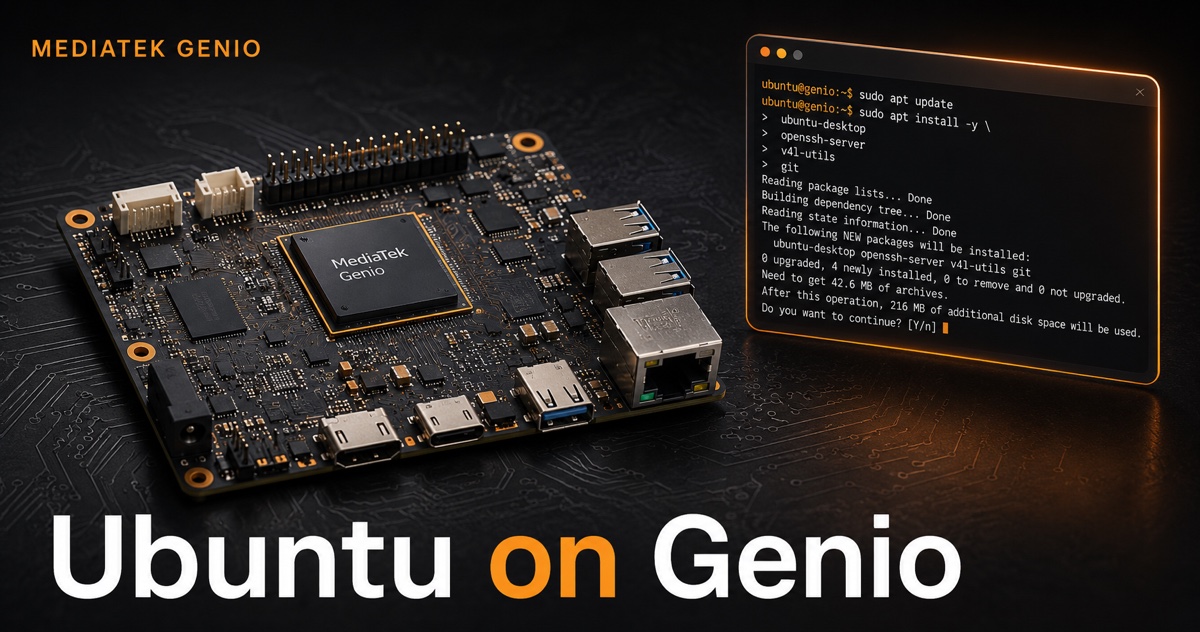
Getting started with Ubuntu on MediaTek Genio
Ubuntu runs on MediaTek Genio through an official Canonical and MediaTek collaboration, but the documentation is spread across half a dozen pages and the board support is uneven. This guide pulls the path into one place: which boards are supported, how to get to a first boot, how to add the hardware BSP for video and NPU acceleration, and where Ubuntu differs from the IoT Yocto image. Every step links back to the official MediaTek and Canonical docs.
Which Genio boards run Ubuntu?
Ubuntu on Genio is a joint effort: Canonical maintains the kernel, the images, and the Ubuntu archive; MediaTek maintains the boot firmware and the hardware support packages. Deploying a board needs two pieces, a Canonical disk image and MediaTek’s board-specific boot firmware.
| Board | Ubuntu status | NPU on Ubuntu |
|---|---|---|
| Genio 1200 EVK | Certified (22.04), image (24.04) | Full |
| Genio 700 EVK | Certified (22.04), image (24.04) | Full |
| Genio 510 EVK | Certified (22.04), image (24.04) | Partial (firmware + runtime) |
| Genio 350 EVK | Certified (22.04), image (24.04, server) | None (no NPU hardware) |
| Genio 720 EVK | Early Access (24.04) | Not yet in the BSP package set |
| Genio 520 EVK | Early Access (24.04) | Not yet in the BSP package set |
The practical takeaway: for a production Ubuntu design today, target the 1200, 700, 510, or 350. The 720 and 520 are Early Access, the disk images exist, but the documented hardware BSP packages (video, NPU) cover the 350/510/700/1200 family. If you specifically need the Genio 720, the IoT Yocto image is the more complete path right now. For the broader platform trade-off, see our Genio vs Jetson comparison.
How Ubuntu on Genio differs from the IoT Yocto image
If you have worked with the Yocto IoT image, two differences matter on day one:
- Boot flow. Ubuntu uses the EBBR (Embedded Base Boot Requirements) U-Boot flow with the standard BL2 → BL31 → BL32 → BL33 stages. The IoT Yocto image uses FIT boot. The bootloader implementation is shared, but the path differs and is switchable through U-Boot environment variables.
- Software model. On Ubuntu you start from a Canonical-maintained kernel and archive and add hardware support from an apt PPA. On Yocto you build the whole image from the
meta-mediatekBSP layers. Ubuntu is faster to stand up and easier to maintain withapt; Yocto gives you deeper control and, as we will see, a fuller accelerator stack.
For the full decision between the two, see Ubuntu vs Yocto on MediaTek Genio.
First boot and login
Flash the Canonical image and MediaTek boot firmware to the board’s eMMC (a single eMMC device is shared between the bootloader and OS partitions), then power on. On the first boot, Cloud-init creates the account and initializes the system:
# Wait for Cloud-init to finish before doing anything else
cloud-init status --wait
Default credentials are ubuntu / ubuntu. Console access is over the UART (ttyS0). If the serial console looks misaligned, fix the terminal geometry:
sudo apt install xterm
resize
Then refresh apt before installing anything:
sudo apt update
One display caveat to plan around: native X11 and GLX are not available: X11 applications run through XWayland on the Wayland session. If you are porting an X11 app, expect to go through XWayland rather than a native X server.
Installing the MediaTek hardware BSP
Out of the box, the Ubuntu image boots and runs, but the hardware video codec and NPU are not active until you add MediaTek’s BSP from its public PPA:
sudo apt-add-repository ppa:mediatek-genio/genio-public
sudo apt update
Press Enter when prompted to confirm the repository. The PPA carries two families of packages, video hardware support and NeuroPilot NPU support, maintained by MediaTek under proprietary licenses. Internet access is required during install. For testing unreleased fixes, MediaTek also publishes a ppa:mediatek-genio/genio-proposed channel; keep that off production images.
Hardware video codec on Ubuntu
The video stack is a user-space daemon plus patched GStreamer plugins. Install the daemon for your board, then the patched plugins:
# User-space VPU daemon (pick your board)
sudo apt install mediatek-vpud-genio1200    # or -genio700 / -genio510 / -genio350

# Patched GStreamer plugins, install the versions carrying "+genio23"
sudo apt install gstreamer1.0-plugins-base gstreamer1.0-plugins-good gstreamer1.0-plugins-bad
Unlike the Yocto image’s element naming, the Ubuntu BSP exposes the codec through standard V4L2 GStreamer elements:
- Decoders:
v4l2h264dec,v4l2h265dec,v4l2mpeg4dec,v4l2vp8dec,v4l2vp9dec - Encoders:
v4l2h264enc,v4l2h265enc - Conversion:
v4l2convert(the hardware decoder emits theNV12_16L32Sformat, so a convert stage is usually needed)
A hardware H.264 encode from the test source:
gst-launch-1.0 -v videotestsrc num-buffers=300 ! \
  "video/x-raw,format=NV12,width=720,height=480,framerate=30/1" ! \
  v4l2h264enc extra-controls="cid,video_gop_size=30,video_bitrate=512000" ! \
  "video/x-h264,level=(string)4.1,profile=main" ! h264parse ! mp4mux ! \
  filesink location=/home/ubuntu/test-h264.mp4
Hardware decode to a Wayland desktop:
gst-launch-1.0 -v filesrc location=/home/ubuntu/test-h264.mp4 ! parsebin ! \
  v4l2h264dec ! v4l2convert output-io-mode=5 ! \
  video/x-raw,width=720,height=480 ! waylandsink
On a server (headless) image, swap waylandsink for kmssink connector-id=<id> driver-name="mediatek". For the deeper GStreamer treatment, the VPUD daemon, the 4K encoded-buffer-size gotcha, and pipeline patterns, see real-time video on MediaTek Genio.
NPU and NeuroPilot on Ubuntu
This is where Ubuntu and Yocto diverge most. The Ubuntu BSP gives you the firmware and the Neuron runtime, but a narrower toolchain than the Yocto/RITY image.
Install the APUSys firmware for your board, then the runtime:
# Firmware (pick your board)
sudo apt install mediatek-apusys-firmware-genio700   # or -genio510 / -genio1200

# Runtime + dev libraries (all NPU-capable boards)
sudo apt install mediatek-libneuron mediatek-neuron-utils mediatek-libneuron-dev
What you get: the TFLite Neuron Delegate, the Neuron Runtime, development headers, and benchmark models under /usr/share/benchmark_dla/. Verify the accelerator is alive:
sudo vpu5_test -a ks -l 10                       # should report PASS
sudo python3 /usr/share/benchmark_dla/benchmark.py --auto
Two things to plan around:
- Board coverage is uneven. NPU support is full on Genio 700 and 1200, partial on Genio 510 (firmware and runtime only), and absent on Genio 350. Match the firmware package to the board exactly, MediaTek’s docs warn that the wrong firmware can break the video codec drivers.
- The toolchain is narrower than Yocto. MediaTek’s Ubuntu NPU docs cover the TFLite delegate path, but do not document the ONNX Runtime NeuronExecutionProvider or the offline
ncc-tflitecompiler. If your inference stack is built on ONNX-on-NPU, the Yocto image is the documented path, see ONNX Runtime on the Genio NPU and on-device AI on Genio.
Customizing the image
For anything beyond the stock image, MediaTek documents customization of the kernel, device tree and overlays, bootloader, and partition layout, plus single-partition flashing so you can update one partition without re-flashing the whole eMMC. These are the entry points for bringing up a custom carrier board or module on Ubuntu rather than the reference EVK.
Where does the kernel source live, and how do you rebuild it?
Ubuntu on Genio runs a Canonical-maintained kernel, not the RITY kernel, and that distinction decides your customization workflow. Three tiers, in increasing order of commitment:
- Device tree overlays only. Enabling a display, a camera, or carrier-board peripherals is usually an overlay selection or addition, not a kernel rebuild. MediaTek’s Ubuntu docs cover building and applying DTBOs against the shipped kernel; this covers most “custom carrier board” work.
- Rebuild the kernel from source. MediaTek’s Ubuntu documentation walks through fetching the Genio kernel source, cross-compiling, and installing the resulting kernel and modules onto the board. Because the boot flow is EBBR U-Boot with a standard boot partition, swapping in your Image and dtbs is a normal Linux workflow rather than a BSP ceremony, and single-partition flashing means you can iterate on the kernel without touching the rest of the eMMC.
- Own the whole image. The moment your changes stop being “a kernel config and a few drivers” and become “a different system,” you have outgrown the Ubuntu path. That is what Yocto is for, where kernel patches live as tracked
devtoolartifacts in your own meta-layer.
One planning note: kernel changes on Ubuntu put you off Canonical’s tested kernel, which weakens the certification story that makes Ubuntu attractive in the first place. If your product needs deep kernel work, weigh that against starting on Yocto before the divergence accumulates.
Where to start
If you are evaluating Ubuntu on Genio: pick a certified board (1200, 700, 510, or 350), flash the 22.04 or 24.04 image, add the genio-public PPA, and install the video and NPU packages for your part. Treat the 720 and 520 as Early Access. If you need the 720 specifically, or the ONNX/ncc-tflite NPU toolchain, the IoT Yocto image is the more complete route today.
Bringing up Genio on Ubuntu or Yocto for a product, and want it done on a fixed timeline? See our MediaTek Genio support services.
Sources: Ubuntu on Genio (Canonical) and MediaTek’s Ubuntu on Genio documentation.
Relevant Services
MediaTek Genio Expert Support
Building on MediaTek Genio?
BSP bring-up, GStreamer pipelines, NeuroPilot integration, we've shipped it. Get unblocked fast. One call to scope it, fixed bid to deliver it.
Frequently Asked Questions
Which MediaTek Genio boards officially support Ubuntu?
Canonical and MediaTek officially support Ubuntu on the Genio 1200, 700, 510, and 350 EVKs, with Ubuntu 22.04 LTS certified and Ubuntu 24.04 LTS images available. The Genio 720 and Genio 520 are Early Access on Ubuntu 24.04, the disk images exist, but the hardware BSP packages (video codec, NPU) are documented for the 350/510/700/1200 family. For a production Ubuntu design today, target one of the four certified boards.
How do I install the MediaTek hardware BSP on Ubuntu for Genio?
Add MediaTek's public PPA and install the hardware support packages: sudo apt-add-repository ppa:mediatek-genio/genio-public, then sudo apt update. The PPA provides the video codec daemons (mediatek-vpud-genioXXX), patched GStreamer plugins (the +genio23 versions), and the NeuroPilot NPU firmware and runtime. The packages are maintained by MediaTek under proprietary licenses and require internet access during install. A genio-proposed PPA exists for pre-release testing.
Does the NPU work on Ubuntu for Genio, or only on Yocto?
The NPU works on Ubuntu, but the stack is narrower than the Yocto IoT image. On Ubuntu you install mediatek-apusys-firmware-genioXXX plus the mediatek-libneuron runtime, which gives you the TFLite Neuron Delegate and the Neuron Runtime. NPU support is full on Genio 700 and 1200, partial on Genio 510 (firmware and runtime only), and absent on Genio 350. MediaTek's Ubuntu docs do not cover the ONNX Runtime NeuronExecutionProvider or the offline ncc-tflite compiler, those are the Yocto/RITY path. If your pipeline depends on ONNX-on-NPU, plan around Yocto or validate the Ubuntu packages first.
What is the default login for Ubuntu on Genio?
The default username and password are both 'ubuntu'. On first boot, Cloud-init creates the account and initializes the system; run cloud-init status --wait to confirm it has finished before logging in or running apt. Console access is over the UART (ttyS0); if the serial console looks misaligned, install xterm and run resize.
How is Ubuntu on Genio different from the IoT Yocto image?
Two big differences. First, boot: Ubuntu on Genio uses the EBBR (Embedded Base Boot Requirements) U-Boot flow, while the IoT Yocto image uses FIT boot, the bootloader is shared but the boot path differs and is switchable via U-Boot environment variables. Second, the software model: Ubuntu pulls hardware support from an apt PPA on top of a Canonical-maintained kernel and archive, whereas Yocto builds a custom image from the meta-mediatek BSP layers. Ubuntu is faster to stand up; Yocto gives deeper control and the fuller accelerator stack.

Written by
Aarón AnguloCo-Founder & CEO · ProventusNova
Obsessed with client outcomes. Aarón ensures every engagement delivers real results, on time, on scope, no exceptions.
Connect on LinkedInRelated Articles
ONNX Runtime on the MediaTek Genio NPU (520 and 720)
Run ONNX Runtime on the Genio NPU. Only the Genio 520 and 720 support the NeuronExecutionProvider out of the box, plus the mandatory FP16 flag and benchmarks.
NPU vs CPU on the MediaTek Genio: the Thermal Reality
On a fanless MediaTek Genio, running a vision model on the CPU pushed our robot to 84 C and throttled. On the NPU it held 58 C. Why edge AI is a heat problem.
MediaTek Genio for computer vision: a practical guide
Build a computer vision pipeline on MediaTek Genio. Camera capture, GStreamer, OpenCV, TFLite NPU inference, and end-to-end object detection pipeline examples.
Running inference on MediaTek Genio: NeuroPilot, TFLite, and ONNX
How to run offline inference on MediaTek Genio using NeuroPilot SDK, TFLite APU delegate, and ONNX. Model conversion workflow, supported ops, and latency.