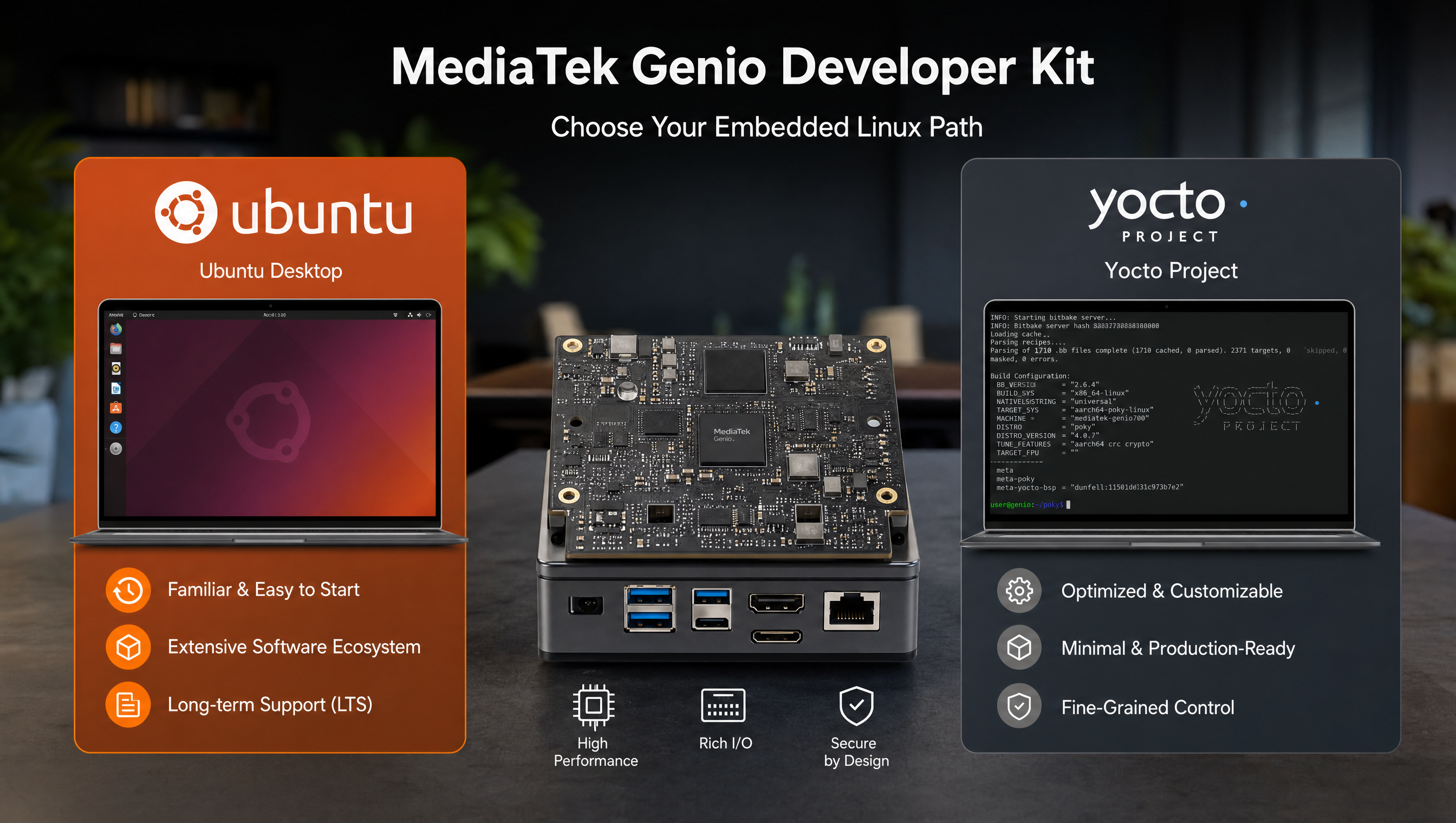
Ubuntu vs Yocto on MediaTek Genio: which to choose
Both Ubuntu and Yocto run well on MediaTek Genio. MediaTek provides BSP packages for both. The choice comes down to your team’s workflow, your product’s size constraints, and where you are in the development cycle. Getting this decision wrong early costs time, switching from Ubuntu to Yocto mid-project is a significant effort.
Key Insights
- Ubuntu is faster to start: flash the BSP image, install packages with
apt, and you’re coding in hours instead of days - Yocto produces smaller, more controlled images: no package manager at runtime, only what you explicitly include
- MediaTek supports both: Ubuntu 22.04 LTS BSP and the IoT Yocto BSP are both maintained by MediaTek; neither is second-class
- Prototype on Ubuntu, ship on Yocto is a common and reasonable pattern, the hardware drivers work the same on both
- Ubuntu Pro for Devices extends LTS support to 10 years, relevant for products with 5+ year field life
- Yocto’s learning curve is real: a team without Yocto experience will take weeks to get productive
What each OS gives you
Ubuntu on Genio
MediaTek’s Ubuntu BSP ships a standard Ubuntu 22.04 LTS image with hardware-accelerated driver packages installed on top. It behaves exactly like Ubuntu on any ARM64 server, apt, systemd, familiar package names, standard paths.
What the MediaTek Ubuntu BSP adds over plain Ubuntu:
- Mali GPU driver (
mali-t83x-rk-dkmsequivalent for Genio) - NeuroPilot NPU runtime (TFLite delegate, ONNX NeuronExecutionProvider)
- GStreamer plugins for hardware video encode/decode (VPU)
- Camera ISP driver packages (public; NDA tier for full RAW pipeline)
genio-flashtool for firmware updates
Getting started is fast:
# Flash Ubuntu BSP image (from MediaTek partner portal)
genio-flash --board-config boards/genio-720-evk.yaml

# SSH in and install packages
apt update
apt install python3-numpy python3-opencv gstreamer1.0-tools
Yocto on Genio
The IoT Yocto BSP (RITY) produces custom Linux images with exactly the packages you specify. The build system resolves dependencies, cross-compiles everything, and produces a flashable image.
What Yocto gives you that Ubuntu doesn’t:
- No runtime package manager: the final image has no
apt, no package database, no updatable dependency tree - Bit-for-bit reproducibility: same inputs always produce the same image
- Full control over rootfs contents: every file in the image came from a recipe you can inspect
- Cross-compilation for everything: the build runs on x86 but produces ARM64 binaries
- sstate-cache: incremental builds reuse previously built artifacts; rebuilding after a single change takes minutes, not hours
Side-by-side comparison
| Ubuntu | Yocto | |
|---|---|---|
| First boot time (from flash to working system) | Hours | Days to weeks (first build) |
| Package management | apt | BitBake recipes + sstate-cache |
| Rootfs size | 2–8GB typical | 150MB–1GB depending on config |
| Runtime package manager | Yes (apt) | No (by default) |
| Driver support | MediaTek Ubuntu BSP packages | RITY / meta-mediatek-bsp |
| Security updates | apt upgrade | Rebuild + reflash |
| Learning curve | Low (standard Linux) | High (Yocto-specific tooling) |
| Build reproducibility | No (apt versions drift) | Yes (pinned layer refspecs) |
| CI/CD integration | Standard | Yocto-specific pipelines |
| Commercial support | Canonical + MediaTek | MediaTek (BSP) + community |
| Best for | Prototyping, software-heavy products | Production, constrained hardware |
When to choose Ubuntu
Choose Ubuntu when:
- Your team doesn’t have embedded Linux or Yocto experience
- You’re in the prototype or MVP phase and need to move fast
- Your product runs on a board with enough storage that image size doesn’t matter (eMMC 32GB+)
- You need to use standard Linux tooling (pip, apt, Docker from Ubuntu packages)
- The product ships with an application that updates frequently and uses
aptfor updates - Your development timeline is weeks, not months
Real example: A computer vision startup building a Genio-based smart camera for retail analytics. The team knows Python and OpenCV well but has no Yocto experience. They prototype on Ubuntu, use apt install python3-opencv, iterate on the CV pipeline, and ship on Ubuntu for the first product revision. They plan a Yocto migration for v2.
When to choose Yocto
Choose Yocto when:
- Your product ships to thousands of units and image size and boot time matter
- You need a hardened, minimal image, no unused binaries, no package manager attack surface
- Your update strategy requires bit-for-bit reproducible builds for rollback verification
- You’re building on top of existing Yocto infrastructure in your organization
- The product has a 5+ year field life and you need controlled BSP maintenance
- Your team has Yocto experience or budget to build it
Real example: A robotics company shipping Genio-based perception modules in industrial equipment. 8GB eMMC, custom carrier board, 7-year support requirement. They use Yocto with a custom meta layer, a locked-down RITY-derived image, and an OTA update system built on EFI capsule updates.
The prototype-on-Ubuntu, ship-on-Yocto pattern
This is the most common path for serious Genio products:
-
Ubuntu phase (weeks 1–8): Flash the MediaTek Ubuntu BSP, develop the application, validate that all hardware features (camera, NPU, GPU, display) work with your use case. Fix application-level bugs.
-
Yocto migration (weeks 9–16): Set up the RITY Yocto build, create a custom meta layer, port the application into Yocto recipes or containerize it, test on hardware.
-
Production hardening (weeks 17+): Strip unused packages, configure secure boot, set up OTA update pipeline, lock BSP refspecs.
The hardware drivers work identically on both, the porting effort is the application packaging and init system integration, not the driver layer. Plan for 2–4 weeks of Yocto migration work for a non-trivial application.
BSP availability
| OS | BSP Source | JetPack/version equivalent |
|---|---|---|
| Ubuntu 22.04 LTS | MediaTek partner portal | Maintained per Genio SDK release |
| Yocto scarthgap | MediaTek GitLab (public + NDA) | Same SDK, different packaging |
Both BSPs track the same Genio SDK release cadence. A feature added in SDK 23.1 appears in both the Ubuntu BSP packages and the updated RITY layers at the same time.
For Ubuntu-specific commercialization details including Ubuntu Pro for Devices, see commercializing a product with Ubuntu on Genio. For the full Yocto build setup, see Yocto build guide for MediaTek Genio.
The AI-stack difference nobody mentions
If your product uses the NPU, the OS choice is not neutral. Canonical’s Ubuntu images for Genio ship the NPU driver and the TFLite path, but the full NeuroPilot tooling, ONNX Runtime NeuronExecutionProvider builds and the ncc-tflite offline compiler, is validated against the Yocto/RITY stack. If your inference pipeline depends on ONNX on the NPU or offline model compilation, plan for Yocto in production or verify your exact path on Ubuntu early, not after the prototype works. The TFLite/Neuron Stable Delegate path is the most portable across both.
FAQ
Does MediaTek officially support Ubuntu on Genio?
Yes. MediaTek and Canonical have a partnership for Ubuntu on Genio. MediaTek provides an Ubuntu BSP with hardware drivers for the Mali GPU, VPU, camera ISP, and NeuroPilot NPU. Ubuntu 22.04 LTS is the supported release for most current Genio platforms.
Is Yocto or Ubuntu better for a production Genio product?
Yocto is better for most production products: smaller image, no runtime package manager, full control over every installed file, and reproducible builds. Ubuntu is better when your team needs faster iteration, uses apt-based tooling, or when image size is not constrained.
Can I prototype on Ubuntu and ship on Yocto?
Yes, and this is a common pattern. Prototype on Ubuntu for fast iteration, validate the application and BSP, then port to Yocto for production. The hardware drivers work the same on both.
How long does Ubuntu LTS support last for Genio products?
Ubuntu 22.04 LTS has 5 years of standard support (until April 2027) and 10 years with Ubuntu Pro (until April 2032). Ubuntu Pro for Devices extends this further for IoT deployments.
Relevant Services
MediaTek Genio Expert Support
Building on MediaTek Genio?
BSP bring-up, GStreamer pipelines, NeuroPilot integration, we've shipped it. Get unblocked fast. One call to scope it, fixed bid to deliver it.
Frequently Asked Questions
Can I use the Genio NPU from Ubuntu?
Yes for the TFLite/Neuron Stable Delegate path, Ubuntu images ship the NPU driver and TFLite support. The full NeuroPilot tooling (ONNX NeuronExecutionProvider, ncc-tflite offline compilation) is validated against the Yocto/RITY stack, so verify those specific paths on Ubuntu before committing, or plan production on Yocto.
Does MediaTek officially support Ubuntu on Genio?
Yes. MediaTek and Canonical have a partnership for Ubuntu on Genio. MediaTek provides an Ubuntu BSP with hardware drivers for the Mali GPU, VPU, camera ISP, and NeuroPilot NPU. Ubuntu 22.04 LTS is the supported release for most current Genio platforms.
Is Yocto or Ubuntu better for a production Genio product?
Yocto is better for most production products: smaller image, no package manager in the final image, full control over every installed file, and a reproducible build. Ubuntu is better when your team needs faster iteration, uses apt-based tooling, or when the product is software-heavy and image size is not constrained.
Can I prototype on Ubuntu and ship on Yocto?
Yes, and this is a common pattern. Prototype on Ubuntu for fast iteration, validate the application and BSP, then port to Yocto for production. The hardware drivers work the same on both, the porting effort is the application packaging and init system integration, not the driver layer.
How long does Ubuntu LTS support last for Genio products?
Ubuntu 22.04 LTS has 5 years of standard support (until April 2027) and 10 years with Ubuntu Pro (until April 2032). For embedded products, Ubuntu Pro for Devices extends this further with security updates for IoT deployments. Yocto LTS branches have a 2-year active maintenance window.

Written by
Andrés CamposCo-Founder & CTO · ProventusNova
8 years deep in embedded systems, from underwater ROVs to edge AI. Andrés leads every technical delivery personally.
Connect on LinkedInRelated Articles
Building a custom Yocto meta layer for MediaTek Genio
Create a custom Yocto meta layer for MediaTek Genio. layer.conf, kernel bbappend, DTS overlays, machine config, custom distro, and the RITY skeleton pattern.
NDA vs public Yocto build on MediaTek Genio: what's the difference
What the NDA build unlocks on MediaTek Genio, what the public build includes, and when you actually need the NDA to ship a product.
What is RITY? MediaTek's Genio reference distribution explained
RITY is MediaTek's reference Yocto distribution for Genio. Distro variants, layer structure, packagegroups, KAS build system, and what RITY is not.
Yocto build guide for MediaTek Genio: complete walkthrough
How to build the IoT Yocto BSP for MediaTek Genio from scratch. Host setup, kas, manifest, NDA flag, flashing, and common build errors.