PipeWire audio on MediaTek Genio: setup, routing, gotchas
Audio on MediaTek Genio is better documented in the kernel than anywhere else, and most of the confusion we see comes from not knowing which layer to look at: ALSA exposes the hardware, PipeWire routes it, and the AFE underneath is far more capable than the single stereo device people expect. This guide maps the Genio audio stack on Yocto from /proc/asound up to PipeWire, using what the boards actually report, and covers the handful of gotchas that reliably cost teams days.
Key Insights
- RITY demo images ship PipeWire as the audio server (with pipewire-pulse for compatibility); minimal bringup images ship no audio server, and often no alsa-utils either.
- The Genio audio front end (AFE) is a set of independent DMA paths: DL devices for playback, UL devices for capture. A Genio 720 EVK registers card
mt8391-evkwith DL0 through DL7, UL0 through UL2, and HDMI playback. - Capture on the EVKs typically routes through the PMIC codec (mt6359p ADDA) and an AP-side DMIC, not the header I2S pins, which changes what you can safely do with those pins.
- The production traps are userspace, not silicon: missing alsa-utils, and PipeWire’s root/user service model getting patched for demo images.
What does the audio stack look like on a Genio board?
Three layers, cleanly separated. At the bottom, the ASoC drivers register the AFE and codecs as a normal ALSA card. In the middle, ALSA exposes each AFE path as a PCM device. On top, PipeWire (on images that include it) opens those devices and does the routing, mixing, and per-application plumbing.
Which layers you get depends on the image, and this catches people on day one:
| RITY image | Audio layers included |
|---|---|
rity-bringup-image | ALSA kernel layer only, no audio server |
rity-bsp-image | ALSA plus GStreamer, still server-less |
rity-demo-image | Full stack with PipeWire and pipewire-pulse |
On a Genio 720 EVK, here is the hardware’s own answer to “what audio do I have”:
$ cat /proc/asound/cards
 0 [mt8391evk      ]: mt8391-evk - mt8391-evk

$ cat /proc/asound/pcm
00-00: DL0 Playback   ...  playback 1
00-01: DL1 Playback   ...  playback 1
00-02: UL0 Capture    ...  capture 1
00-03: UL1 Capture    ...  capture 1
00-04: UL2 Capture    ...  capture 1
00-05: HDMI Playback  ...  playback 1
00-06 to 00-11: DL2 through DL7 Playback
Read that as a map of the AFE, MediaTek’s audio front end. Each DL (downlink) entry is an independent playback DMA path and each UL (uplink) entry an independent capture path through the audio interconnect, fanning out to eTDM/I2S interfaces, the PMIC codec, DMICs, and display audio. This is why Genio can run system sounds, a voice pipeline, and display audio without the paths fighting: they are separate devices down to the DMA level, not streams mixed into one device. It is also what makes the platform’s Linux-plus-RTOS audio split workable, where a Zephyr cell takes over dedicated UL paths that Linux never claims; we cover that in Zephyr audio on Genio 700.
How do you inspect and test audio without a desktop?
Bottom up, so a failure tells you which layer to blame.
ALSA layer. cat /proc/asound/cards confirms the card probed at all. If it is missing, your problem is device tree or driver, not audio configuration. arecord -l and aplay -l enumerate capture and playback devices, and speaker-test -D hw:0,0 -c 2 exercises a specific PCM with nothing else in the path. If these commands do not exist, your image lacks alsa-utils; add it:
IMAGE_INSTALL:append = " alsa-utils"
That one line is the most common “audio is broken” fix we see, because the kernel side was fine all along and the board simply had no tools.
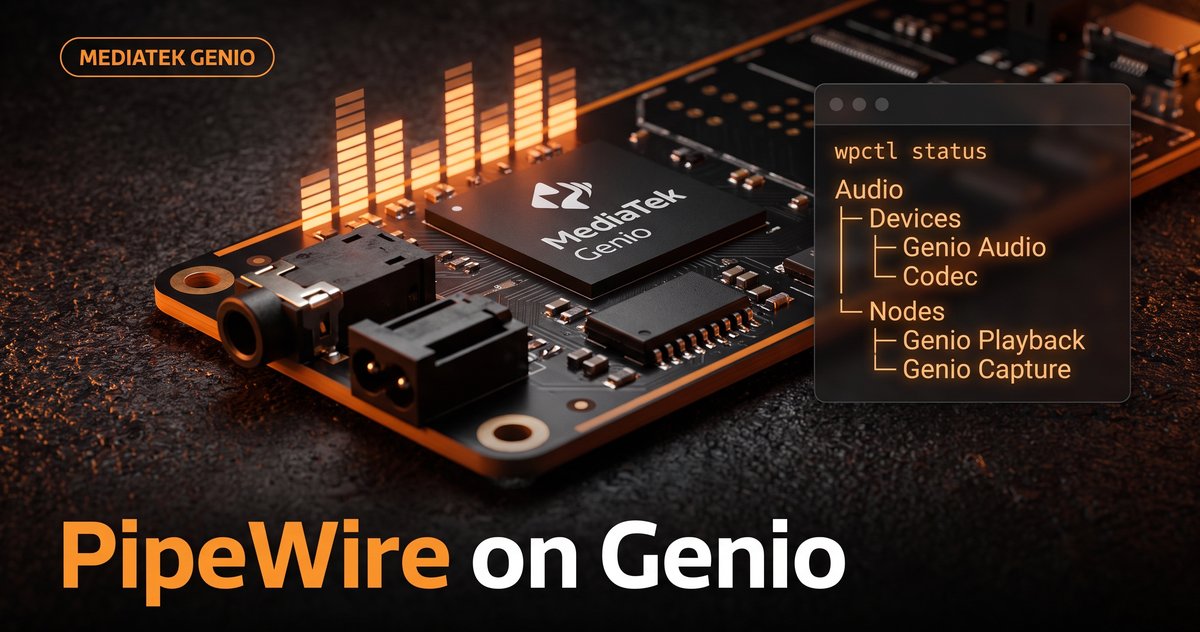
PipeWire layer. On demo images, wpctl status shows what PipeWire sees: devices, nodes, and which node is the default sink and source. pw-top is the live view, invaluable for spotting a stream that connected to the wrong node or a rate mismatch causing resampling. pw-cat --record test.wav plus wpctl set-default covers most routing checks without writing a line of code.
Codec routing layer. When sound plays but the wrong thing comes out (or nothing does), look at DAPM, ALSA’s dynamic power map: /sys/kernel/debug/asoc/ lists components, DAI links, and widget power states. A capture path that stays powered off under DAPM while you record points at machine-driver routing, not at PipeWire.
Why is the mic not on the header I2S pins?
Because on many MediaTek reference designs, including Genio EVKs, the onboard capture path runs through the PMIC. The mt6359p PMIC includes an ADDA audio codec, and boards pair it with an AP-side digital microphone. The header’s I2S pin group is pinmuxed to I2S in the default device tree, and yet no DAI link references it: the pins are configured but electrically idle.
This matters in two directions. If you are adding an external codec or TDM device, the header I2S/eTDM interface is your attachment point and the AFE has spare paths waiting for it. If you are starved for GPIOs (every embedded project, eventually), those same pins are candidates for reassignment, but only after you verify the routing rather than assume it:
- Read the sound node in the DTS: enumerate its
dai-linkandaudio-routingentries and check whether any reference the header I2S DAI. - Cross-check live:
arecord -lfor what capture resolves to, and the DAPM tree for whether the I2S-in widget ever powers up. - If the group is unused, switch the sound node’s pinctrl from the I2S “on” group to the matching “off” group that MediaTek BSPs ship for exactly this purpose, freeing the pins as GPIO.
- Make the change in a
devtoolkernel workspace and land it withdevtool finish, so it lives as a tracked patch in your meta-layer instead of a loose local edit.
We have used exactly this sequence to hang a second SPI peripheral off a Genio header without touching audio, and the verification step is the whole trick: trace the DAI and codec routing first, then move pins.
What breaks when you go from demo image to product?
The recurring one is PipeWire’s service model. Upstream, pipewire-pulse carries ConditionUser=!root: it is designed to run per user, and refuses to start for root. Development images that run everything as root patch that condition out so audio works at a root shell. Carry that patch into a product with real user accounts and you inherit a root-owned audio server, or audio that works in development and dies the day your application drops privileges. For production, keep the upstream model: run PipeWire in a user session for your application user, and leave the root-only patch behind in the demo image where it belongs.
The second is image composition drift: bringup and BSP images have no audio server, so a pipeline that worked on rity-demo-image fails on the leaner image your product actually ships. Decide deliberately whether your product wants PipeWire (multiple applications sharing audio, dynamic routing) or bare ALSA (one owner, simplest possible path), and pin the image contents accordingly.
Where to start
Enumerate first, configure second: /proc/asound/pcm tells you what the AFE offers before any userspace opinion gets involved. Pick your server model per the product, not per the demo image. And if part of your audio path needs guarantees Linux scheduling cannot give, the AFE’s path structure is already built for splitting the work with an RTOS.
Building an audio product on Genio, from codec bring-up to a deterministic capture path? Get MediaTek Genio engineering support.
Sources: PipeWire documentation, MediaTek IoT Yocto documentation, and the ALSA ASoC DAPM documentation.
Relevant Services
MediaTek Genio Expert Support
Building on MediaTek Genio?
BSP bring-up, GStreamer pipelines, NeuroPilot integration, we've shipped it. Get unblocked fast. One call to scope it, fixed bid to deliver it.
Frequently Asked Questions
Does MediaTek Genio use PipeWire or PulseAudio?
PipeWire. MediaTek's IoT Yocto (RITY) demo images ship PipeWire as the audio server through a dedicated pipewire distro feature, replacing PulseAudio. The compatibility layer pipewire-pulse is included, so applications that speak the PulseAudio protocol keep working. Minimal images are a different story: rity-bringup ships no audio server at all, so plan your image choice around whether you need sound out of the box.
Why is there no aplay command on my Genio board?
Your image does not include alsa-utils. Smaller RITY images keep userspace lean, so aplay, arecord, and amixer are simply not installed even though the ALSA kernel layer and /proc/asound are fully present. Add IMAGE_INSTALL:append = " alsa-utils" to your image or local.conf, or use PipeWire's own tools (wpctl, pw-cat, pw-top) on images that ship the PipeWire stack.
How do I see which audio paths the Genio AFE exposes?
Read the kernel's view directly: cat /proc/asound/cards shows the registered card (for example mt8391-evk on a Genio 720 EVK), and cat /proc/asound/pcm lists every PCM device. On Genio you will see the AFE's structure: DL (downlink) devices for playback, UL (uplink) devices for capture, plus an HDMI or display audio device. Each DL/UL entry is an independent DMA path through the audio front end, not just an alias of one stereo device.
Can I repurpose the header I2S pins on a Genio board as GPIOs?
Often yes, but verify the audio routing first. On many MediaTek designs the onboard microphone path runs through the PMIC's ADDA codec (mt6359p) and an AP-side digital microphone, not through the header I2S lines, which means the I2S pin group is muxed but electrically idle. Confirm by reading the sound node's dai-link and audio-routing entries in the device tree and checking DAPM state under /sys/kernel/debug/asoc. If no DAI references the header I2S group, switch its pinctrl state to the off group and take the pins.
Why does PipeWire refuse to start on my custom Genio image?
Check who it is running as. Upstream pipewire-pulse ships with ConditionUser=!root, meaning it will not start for the root user, and development images that run everything as root often patch that condition out. If you build a production image with real user accounts on top of a BSP that carried the root-only patch, restore the upstream per-user model: run PipeWire as your application user through a user session, not as a root system service.

Written by
Aarón AnguloCo-Founder & CEO · ProventusNova
Obsessed with client outcomes. Aarón ensures every engagement delivers real results, on time, on scope, no exceptions.
Connect on LinkedInRelated Articles
Zephyr audio on MediaTek Genio 700: AFE support lands
MediaTek's Zephyr fork now drives the Genio 700 audio front end: AFE driver, eTDM DAI, clocks, and capture samples. What shipped and how to build it.
Getting an LD06 Lidar onto the MediaTek Genio
The LD06 lidar got no device node on our MediaTek Genio: the vendor kernel had no driver for its USB-serial chip. Building the module, and the UART fallback.
MediaTek Genio 420: specs, Yocto BSP, and how it compares to Genio 520 and 720
MediaTek Genio 420 (MT8371LV) is the low-voltage Genio 520 variant. Same EVK, Yocto BSP, ONNX NPU EP. Specs, limitations, and when to choose 420 vs 520 vs 720.
Customizing the boot logo on MediaTek Genio
Replace the boot logo on MediaTek Genio: where it lives (the bootassets partition), the bootassets-part bbappend recipe, and how to build and flash it.