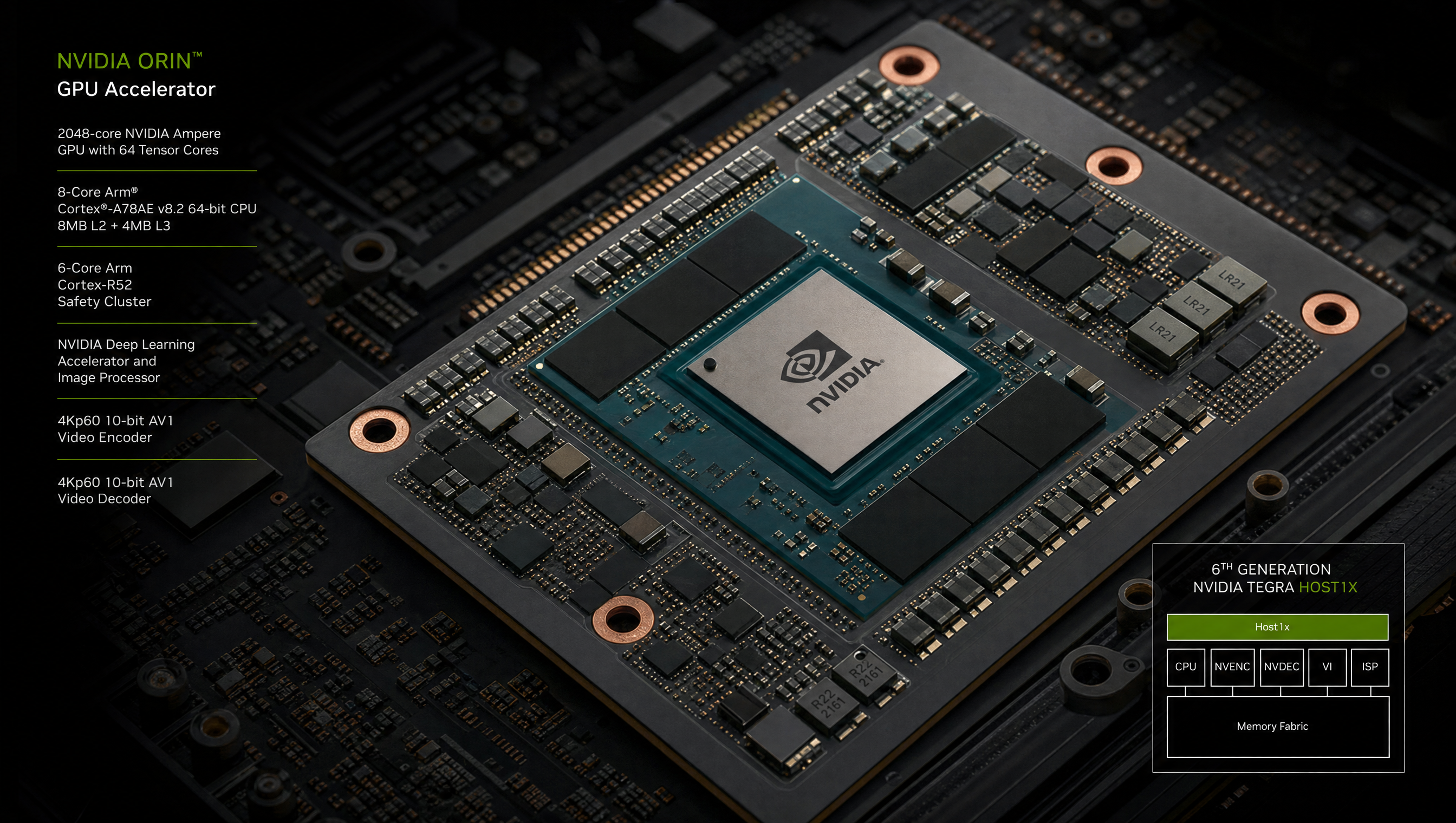
Jetson Orin silent GPU hang under sustained compute, host1x debug
Silent GPU hangs on Jetson Orin are distinct from application crashes, the process stays alive, tegrastats shows high GPU utilization, and your compute pipeline simply stops making progress with no error message. The root cause in most reported cases is a host1x interrupt servicing stall: the GPU command FIFO fills up because the driver’s interrupt handler is not running promptly enough, triggering a timeout recovery that resets the GPU state.
Key Insights
- Silent hang ≠ crash: check if your CUDA process is still alive in
ps aux; if alive and stuck in a CUDA call, it’s a hang, not a crash host1x channel timeoutin dmesg confirms the stall path: if you see this, the GPU driver triggered a recovery sequence- JP 6.2.2 reduces but may not eliminate the issue: upgrade first; measure improvement before looking for other workarounds
- IRQ affinity matters: if the
host1xinterrupt is sharing a core with high-frequency other IRQs, latency spikes can trigger timeouts; pin it to a dedicated core - Unified memory workloads are most vulnerable: large unified memory allocations (typical in LLM/vLLM) trigger more host1x DMA activity than discrete allocations
Identifying a GPU hang
# 1. Check if the CUDA process is alive
ps aux | grep your_compute_app
# If alive and CPU usage is low but GPU is high → hang

# 2. Check tegrastats
tegrastats --interval 500
# GR3D_FREQ shows 95-100% but your benchmark has stalled
# EMC_FREQ is also high (DMA traffic ongoing)

# 3. Check dmesg for host1x events
dmesg | grep -E "host1x|gk20a|nvgpu|fifo|timeout|hung|gpu" | tail -30

# Common hang signatures:
# "host1x: gk20a: channel 1: timeout"
# "nvgpu: fifo error"
# "host1x: channel X job timed out after 10000ms"

# 4. Check if nvtop shows the hang
sudo apt install nvtop
nvtop
# MEM% and GPU% stuck at 100% with no change → confirmed hang
host1x interrupt affinity
Moving the host1x IRQ to a dedicated CPU core reduces contention:
# Find the host1x IRQ number
grep -E "host1x|tegra" /proc/interrupts | head -20

# Example output shows IRQ 123 for host1x
# Set affinity to CPU 2 (bitmask 0x4)
echo 4 > /proc/irq/123/smp_affinity

# Also set GPU interrupt affinity
grep -E "nvidia|gk20a|nvgpu" /proc/interrupts
# Set those to the same core
echo 4 > /proc/irq/<gpu_irq>/smp_affinity
Make persistent across reboots with a systemd service:
# /etc/systemd/system/irq-affinity.service
[Unit]
Description=Set host1x and GPU IRQ affinity
After=multi-user.target

[Service]
Type=oneshot
ExecStart=/usr/local/bin/set-irq-affinity.sh
RemainAfterExit=yes

[Install]
WantedBy=multi-user.target
Timeout tuning
The default host1x job timeout is 10 seconds. For workloads that legitimately take longer (large model inference), increase the timeout:
# Check current timeout
cat /sys/kernel/debug/host1x/*/timeout
# or
cat /sys/module/nvgpu/parameters/jobstate_timeout_ms

# Increase to 60 seconds
echo 60000 > /sys/module/nvgpu/parameters/jobstate_timeout_ms
This prevents the driver from incorrectly triggering a recovery on legitimately long-running kernels.
Recovery from a GPU hang
When a hang occurs, the host1x driver triggers a GPU reset and attempts to recover the channel:
# The driver recovery log looks like:
# nvgpu: gr: gr recovery started
# nvgpu: mm: mmu fault
# nvgpu: fifo reset runlist 0

# After recovery, the CUDA context is invalid
# The safest recovery is to restart the application
sudo kill -9 $(pidof your_compute_app)

# If the driver did not recover cleanly, rmmod and modprobe the GPU driver
sudo rmmod nvgpu
sudo modprobe nvgpu
Upgrading to JetPack 6.2.2
# Verify current JetPack version
cat /etc/nv_tegra_release
# Should show R36 REVISION: 5.0 for JP 6.2.2

# If on older version, upgrade via SDK Manager or apt (if NVIDIA apt repo is configured)
sudo apt update
sudo apt upgrade

# Check for nvgpu driver version
modinfo nvgpu | grep version
For general GPU utilization monitoring tools on Jetson, see Jetson Orin high RAM usage at idle which covers tegrastats and jtop usage. For CUDA-accelerated LLM inference workloads that can trigger this issue, see Running LLMs on Jetson Orin.
FAQ
What is a silent GPU hang on Jetson Orin?
The GPU stops processing CUDA work, kernels don’t complete, but the process stays alive and no error is raised. Caused by a host1x interrupt servicing stall where the GPU command FIFO fills and the driver triggers a timeout recovery.
What is host1x on Jetson Orin?
The hardware bus coordinating DMA and interrupt delivery for all Jetson accelerators. GPU work is submitted through host1x channels; completion interrupts come back through host1x. Interrupt stalls here cause GPU hangs.
How do I confirm a GPU hang is caused by host1x on Jetson Orin?
Look for host1x: channel X job timed out or nvgpu: fifo error in dmesg, combined with tegrastats showing 100% GR3D utilization and no application progress.
Has NVIDIA addressed the host1x stall bug in JetPack 6.x?
JetPack 6.2.2 includes mitigation for the most common case (mixed CUDA + unified memory workloads). Upgrade to JP 6.2.2 first. Persistent cases may require IRQ affinity tuning or job timeout adjustments.
Relevant Services
NVIDIA Jetson Expert Support
Stuck on a Jetson bring-up?
We've debugged this failure mode before. BSP, device tree, camera pipelines, OTA, most blockers clear in the first session. No long retainers. No guessing.
Frequently Asked Questions
What is a silent GPU hang on Jetson Orin?
A silent GPU hang is when the GPU compute engine stops making progress, CUDA kernels that should complete in milliseconds never return, but the Linux process does not crash and dmesg shows no error. The symptom is a process stuck in a CUDA call with 100% GPU utilization reported by tegrastats but no work completing. On Jetson Orin, this is usually a host1x interrupt servicing stall where the GPU command FIFO is full but the interrupt that should drain it is delayed.
What is host1x on Jetson Orin?
host1x is the Tegra hardware bus that coordinates DMA and interrupt delivery for all Jetson accelerators, GPU, VIC, NVDEC, NVENC, ISP, and display. The GPU submits work via host1x channel command buffers. host1x delivers completion interrupts back to the GPU driver. When host1x interrupt servicing stalls, due to IRQ affinity issues, long interrupt latency spikes, or a driver bug, GPU command buffers fill up and the GPU appears hung.
How do I confirm a GPU hang is caused by host1x on Jetson Orin?
Check dmesg for: host1x: channel timeout, host1x: gk20a: fifo error, or nvgpu: job timeout. Also run tegrastats while the hang is occurring, if GR3D_FREQ shows 100% but no useful work is completing (your benchmark output has stalled), the hang is confirmed. Use nvidia-smi (if available) or nvtop to check GPU memory and compute utilization.
Has NVIDIA addressed the host1x stall bug in JetPack 6.x?
NVIDIA acknowledged host1x interrupt stall issues in JetPack 6.2.1 and released JetPack 6.2.2 with mitigation. The bug was most reproducible under mixed CUDA + vLLM unified-memory workloads and sustained multi-stream compute. Upgrading to JP 6.2.2 (L4T R36.5.0) reduces the frequency but may not eliminate the issue on all workloads. The recommended workaround is to use SCHED_FIFO priority for compute threads and pin GPU interrupt servicing to a specific core.

Written by
Aarón AnguloCo-Founder & CEO · ProventusNova
Obsessed with client outcomes. Aarón ensures every engagement delivers real results, on time, on scope, no exceptions.
Connect on LinkedInRelated Articles
Jetson camera works with v4l2-ctl but fails to launch argus_camera, debug guide
Why your Jetson camera works with v4l2-ctl but argus_camera fails, tegra-camera DT node issues, sensor mode tables, and the V4L2-to-Argus fault path.
Running LLMs on Jetson Orin, llama.cpp, Ollama, and jetson-containers
Run LLMs on Jetson Orin using llama.cpp, Ollama, and jetson-containers. Model quantization, memory limits, and performance benchmarks by SKU.
nvargus crash and CaptureScheduler deadlock on Jetson, debug guide
Debug nvargus core dumps and CaptureScheduler deadlock on Jetson. libargus logs, JP6 libnvscf regression, and watchdog recovery patterns.
GMSL YUV422 capture and FORCE_FE errors on Jetson Orin, debug guide
Debug GMSL YUV422 capture issues on Jetson Orin, FORCE_FE decoder config, partial frame faults, and MAX9295/MAX9296 YUV format setup.