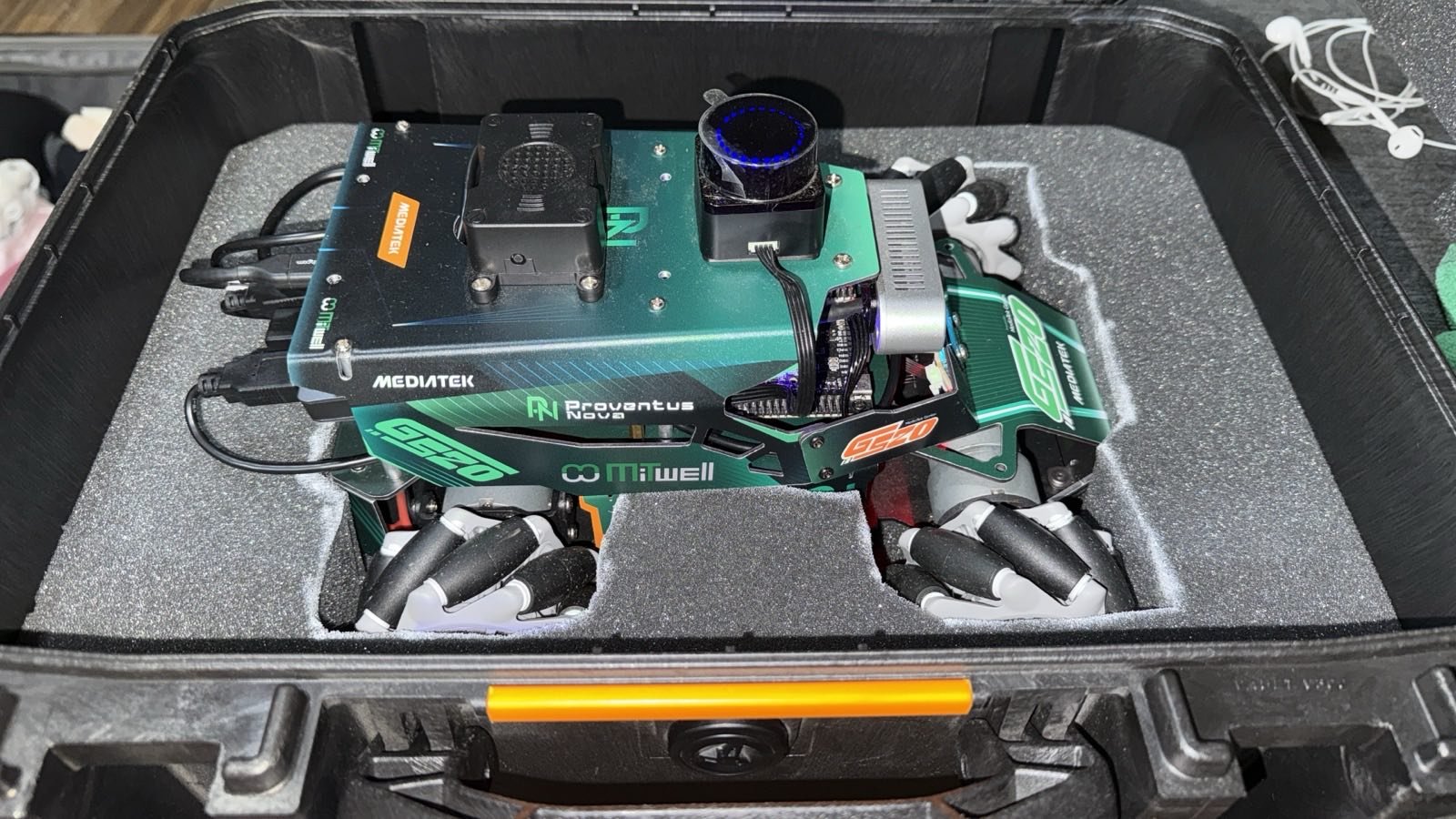
When a USB Camera Browns Out Your Edge Board
One of the most expensive kinds of bug in embedded work looks like a flaky cable and is actually physics. On our MediaTek Genio robot, a depth camera would enumerate, stream for a moment, and then take the whole board down. It looked random. It was not. It was current, and the path to proving that is worth telling because you will meet this bug on your own build.
Key Insights
- A USB camera that works on one port and dies on another is almost always a current problem, not a data or driver problem
- USB power descriptors routinely lie; the kernel budgets on those numbers, so a peaky device gets no headroom and browns out
- The signature was a chain reaction: the camera’s illuminator turned on, a neighbouring device dropped, then the camera itself disconnected
- No over-current message ever appeared, which is exactly why teams chase the wrong layer for days
- The fix is a power layout that supplies the peak current cleanly, and the right layout is specific to the board
The symptom
The camera behaved differently on the two USB ports of the board, and neither was reliable in the obvious way. On one port it streamed. On the other it delivered a single frame, reset a few seconds later, then failed to open ever again with the same error repeating forever. Move it, and the pattern moved with it. Add a hub, and new variations appeared. It had every appearance of a bad cable or a driver bug, and it was neither.
The tell
The breakthrough was watching the order of events, not the error messages. The sequence was always the same. The camera’s driver opened the device, which turned on its infrared projector. About a second later, the other high-speed device sharing that rail dropped off the bus. About a second after that, the camera itself disconnected and re-enumerated. Then nothing.
That is not a data fault, that is a power sag. The projector’s inrush pulled the rail down far enough to knock out its neighbour first, then itself. And there was never an over-current message, because nothing on the board thought it was over-current: the devices had declared tiny power needs in their descriptors, one even claiming to be self-powered while drawing from the bus, so the kernel had budgeted almost nothing and had no reason to complain.
That last part is the trap. The system tells you everything is fine right up until the board reboots.
The lesson, and the rule
The fix in principle is simple: supply the peak current through a path that can actually deliver it, and keep the hungry, peaky device away from shared power with anything sensitive. In our case that meant a specific layout using an externally powered hub feeding its own 5 volts, with the camera on the strong rail and the other peripherals arranged so nothing shared a rail with the projector’s inrush. Once the power path could source the peak, the whole class of failures disappeared, and the board ran for reboots on end with everything attached.
The exact layout that works is specific to your board’s ports, rails, and controllers, and finding it is a matter of characterizing where the current can actually flow. We keep that part, the specific working layout and how we arrive at it, for the projects we do, because it is the engineering, not the anecdote.
Why this costs teams weeks
This bug is expensive because every instinct points the wrong way. The error text implicates the camera or its driver. The intermittency implicates a cable. The absence of an over-current warning implicates anything but power. Teams rewrite drivers and swap hardware for days before they think to watch the timing and suspect the rail.
If you are integrating cameras, illuminators, lidar, or any peaky USB peripheral onto an edge board, on the MediaTek Genio or on NVIDIA Jetson, the power layout is worth getting right before it costs you a sprint. That characterization is exactly the kind of thing we do quickly because we have seen it before. Tell us what you are building and we will save you the week. For the robot this came from, see the ROSOrin build overview.
Relevant Services
MediaTek Genio Expert Support
Building on MediaTek Genio?
BSP bring-up, GStreamer pipelines, NeuroPilot integration, we've shipped it. Get unblocked fast. One call to scope it, fixed bid to deliver it.
Frequently Asked Questions
Why does a USB camera work on one port and fail on another on the same board?
Almost always current, not data. Two USB ports on the same board can sit on different power rails or controllers with different current budgets. A camera that turns on an IR projector or illuminator draws an inrush that a weaker rail cannot supply, so it enumerates and then browns out. The port that works is the one that can actually source the current.
Why do USB devices lie about their power needs?
USB devices declare their power draw in their descriptors, and many declare far less than they use, or declare self-powered when they are not. The kernel budgets based on those declarations, so a device that says it needs 2 mA but pulls hundreds during an illuminator inrush gets no headroom and drops. The descriptors cannot be trusted for power planning.
How do you fix a USB brownout on an embedded board?
The reliable fix is to stop drawing the peak current through a constrained path: use an externally powered hub that supplies its own 5 V, keep the hungriest device on the strongest rail, and keep peaky devices off shared power with sensitive ones. The exact layout that works depends on the board's ports and rails, which is what has to be characterized.

Written by
Andrés CamposCo-Founder & CTO · ProventusNova
8 years deep in embedded systems, from underwater ROVs to edge AI. Andrés leads every technical delivery personally.
Connect on LinkedInRelated Articles
Camera Lifecycle in Docker: SIGINT vs SIGTERM
Our ROS 2 camera container would not restart cleanly, and the camera got stuck. The cause was the stop signal. Why SIGTERM broke it and SIGINT fixed it.
Jetson camera works with v4l2-ctl but fails to launch argus_camera, debug guide
Why your Jetson camera works with v4l2-ctl but argus_camera fails, tegra-camera DT node issues, sensor mode tables, and the V4L2-to-Argus fault path.
The WiFi Bug That Almost Killed Our Booth Demo
Our robot's WiFi hotspot looked capped at 3 dBm. It was a cosmetic mt76 driver reporting bug: the radio runs at full power. How to verify before you panic.
nvargus crash and CaptureScheduler deadlock on Jetson, debug guide
Debug nvargus core dumps and CaptureScheduler deadlock on Jetson. libargus logs, JP6 libnvscf regression, and watchdog recovery patterns.