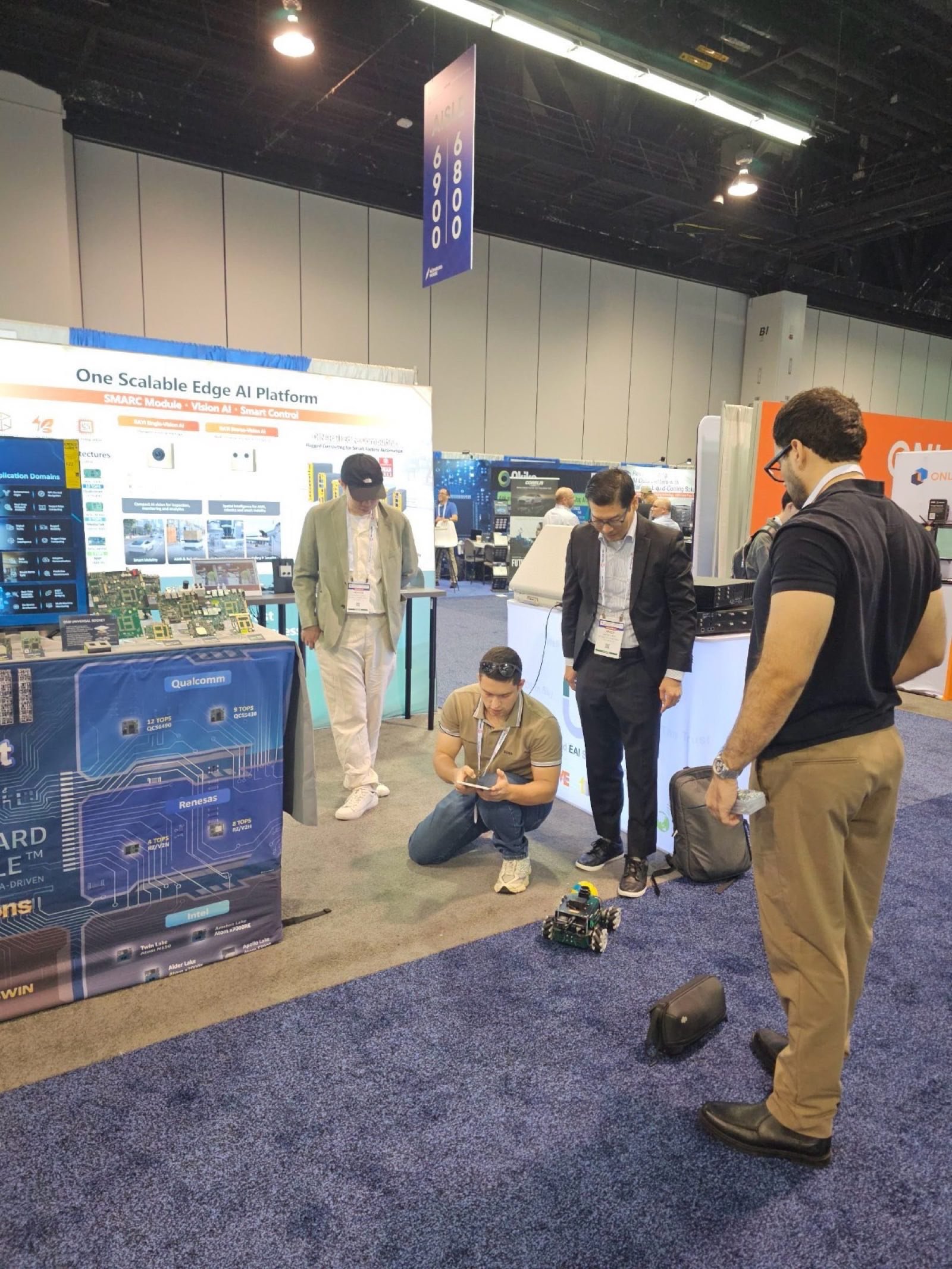
Building a Tablet Cockpit for a Robot
The dashboard that drives our robot has to run on whatever tablet is on hand, which is a harder requirement than it sounds. Two days before a show, it froze on the demo tablet in the most confusing way possible: the live camera worked and nothing else did. The cause is a great lesson in building interfaces for devices you do not control.
Key Insights
- The robot serves its own installable web dashboard: a first-person camera view, a joystick, a live lidar radar, and voice, with no cloud
- On one tablet the page froze with the camera live but every button and readout dead
- The cause was a single unsupported browser call early in startup that threw and halted everything scheduled after it
- Parts set up before the failing call kept working, which is why the symptom looked so strange
- A field-ready UI guards modern browser features, wraps its draw loops, and limits live connections so one failure cannot take the page down
What the cockpit is
We built the robot’s operator interface as a web app the robot serves itself. Any tablet or phone on the robot’s network loads it, and it can be installed to the home screen so it feels like a native app. It shows a first-person camera view with a joystick for driving, a live radar scope drawn from the lidar so the operator can see obstacles around the robot, and voice controls. Serving it from the device means it needs no app store and no internet, only the robot.
The freeze
At setup, the dashboard came up on the demo tablet with a working camera feed and nothing else. The drive joystick did nothing, the telemetry never updated, the command buttons were dead. It was not the network, because a laptop on the same connection showed everything working. It was not the camera streams competing for bandwidth, because the heaviest thing on the page, the video, was the part that worked.
The way we found it was to log what the tablet actually requested. It asked for the page and the camera feed, and it never asked for telemetry and never sent a single button press. That pointed straight at the cause: the page’s startup script had thrown an error partway through, so everything it tried to set up after that point simply never happened.
The cause
The lidar radar drew its sweep using a modern browser drawing call that the tablet’s older browser did not support. The first time the page tried to draw the radar, that call threw. Because it threw during the page’s initialization, everything scheduled after it, the telemetry stream, the live status, the buttons, the joystick, never got wired up. Everything before it, the camera feeds and a health check, had already been set up and kept working. That is why the symptom was so lopsided: a live camera on top of a completely dead control panel.
The lesson: build for devices you do not control
The fix was to stop assuming the browser. Guard the modern drawing call before using it so an unsupported feature is skipped rather than fatal, wrap the drawing loop so a failure inside it cannot halt the rest of the page, and be economical with live connections, because a thin wireless link and an older browser both have hard limits on how many simultaneous streams they will hold. With those in place the dashboard degrades gracefully instead of dying, and it works on whatever tablet is at the booth.
The general principle is the one in the heading. A dashboard that only runs on your development machine is not done. A field UI has to survive an unknown, possibly old browser on an unknown network, and that means defensive initialization so that no single unsupported feature can take the whole interface down.
We keep the implementation details for the projects we do, because they depend on your stack. The reusable insight is to treat the operator’s device as hostile terrain and build the UI to tolerate it.
If you are building operator interfaces for robots or edge devices that have to run anywhere, tell us what you are building. For the robot this drives, see the ROSOrin build overview.
MediaTek Genio Expert Support
Building on MediaTek Genio?
BSP bring-up, GStreamer pipelines, NeuroPilot integration, we've shipped it. Get unblocked fast. One call to scope it, fixed bid to deliver it.
Frequently Asked Questions
How do you build an operator dashboard for a robot?
Serve a web app from the robot itself so any tablet or phone can load it with no install. On our robot it is an installable web app with a first-person camera view, a joystick for driving, a live lidar radar scope, and voice controls. Running it from the device means it works on the robot's own network with no cloud.
Why would a web dashboard work on one device but freeze on another?
Usually a JavaScript error early in the page's startup. If the code hits an unsupported browser feature while setting up, it throws, and everything scheduled after that point never runs. Parts initialized before the error keep working, which is why you can see a live camera while every button and readout is dead.
How do you make a robot dashboard robust across unknown devices?
Assume you cannot control the browser it runs in. Guard any modern API before using it, wrap drawing and update loops so one failure cannot halt the page, and be economical with live connections because thin links and older browsers have hard limits. A field UI has to degrade gracefully on whatever tablet is on hand.
Written by
Andrés CamposCo-Founder & CTO · ProventusNova
8 years deep in embedded systems, from underwater ROVs to edge AI. Andrés leads every technical delivery personally.
Connect on LinkedInRelated Articles
Getting an LD06 Lidar onto the MediaTek Genio
The LD06 lidar got no device node on our MediaTek Genio: the vendor kernel had no driver for its USB-serial chip. Building the module, and the UART fallback.
Driving a Mecanum Robot from ROS 2
Our mecanum robot strafed sideways when told to go forward. The cause was a diagonal wheel pair wired backwards. How mecanum drive works and how to catch it.
MediaTek Genio for robotics edge AI: inference, camera, BSP reality
Is MediaTek Genio viable for robotics edge AI? Honest assessment of inference latency, camera pipeline, ROS 2 support, and BSP limitations for robotics builds.
MediaTek Genio vs Jetson for a ROS 2 Robot
We built a ROS 2 robot on the MediaTek Genio. Here is how the Genio and NVIDIA Jetson actually compare for robotics, from first-hand experience on both.