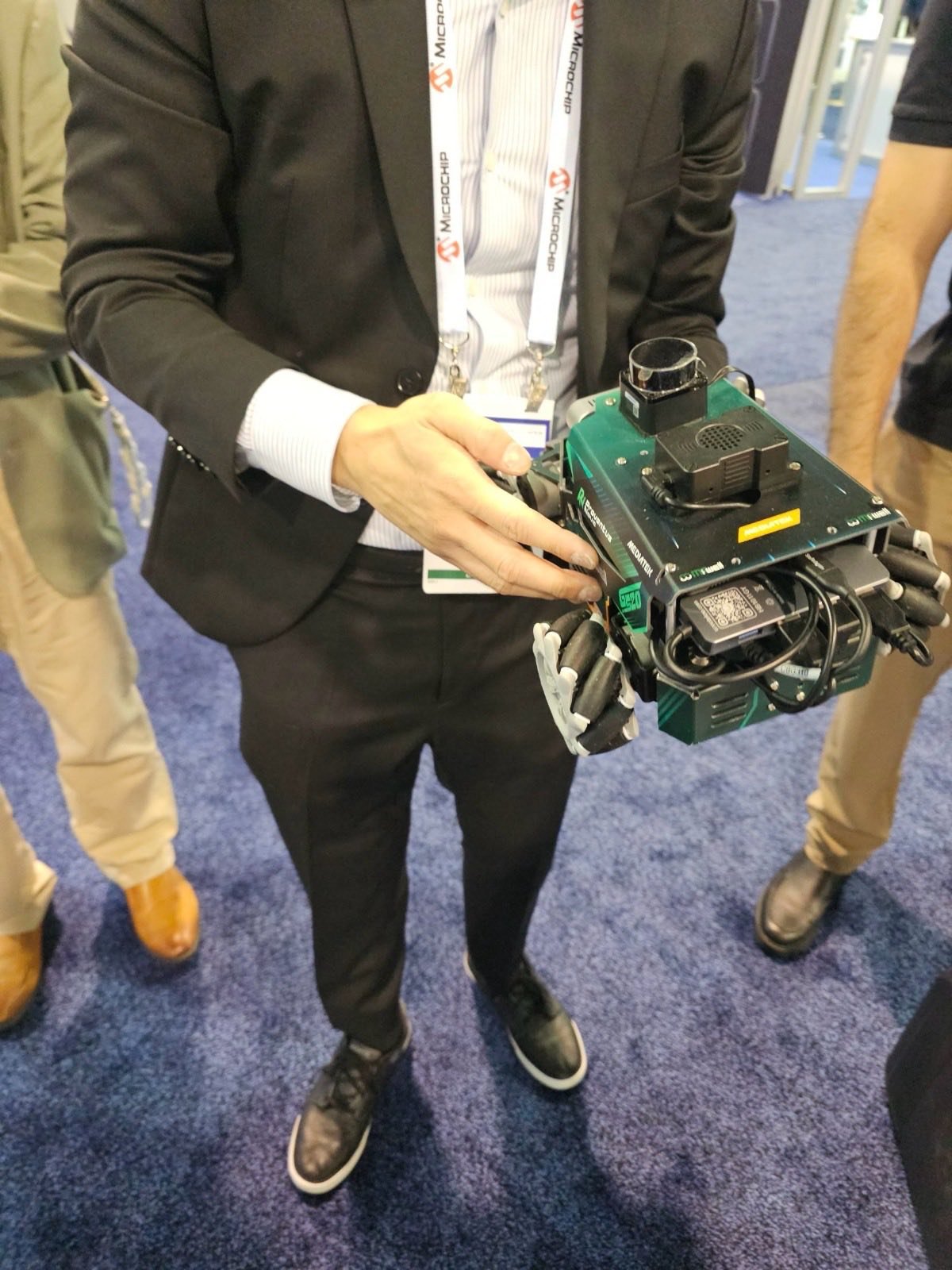
Driving a Mecanum Robot from ROS 2
We told our robot to drive forward and it slid sideways instead. Nothing was broken, in the sense that every motor turned and the code was correct. The wheels were simply not the wheels the software thought they were. Mecanum drives make this failure easy to hit, so here is how the motion works and how to catch the wiring when it goes wrong.
Key Insights
- Mecanum wheels use angled rollers so the robot can drive forward, strafe sideways, or spin in place
- The drive code turns a desired forward, sideways, and rotational velocity into four individual wheel speeds, and that math depends on each wheel being in a known position
- If a diagonal wheel pair is wired backwards, a forward command resolves into a sideways one, which is exactly what we saw
- Diagnose by commanding one wheel at a time and mapping which physical wheel actually moves, then compare to what the code assumes
- The symptom tells you the fault: forward becoming a strafe points to a diagonal pair inverted
How mecanum drive works
A mecanum wheel is a normal wheel with rollers set at an angle around its rim, so instead of pushing straight ahead it pushes at 45 degrees to its axle. Put four of them at the corners of a robot, each oriented correctly, and you can produce net motion in any direction by mixing their speeds. Spin them all forward and the robot goes forward. Spin one diagonal pair one way and the other pair the other way, and the robot strafes sideways without turning. Spin the left and right sides opposite each other and it rotates in place.
The drive code does the inverse of this. It takes the motion you want, a forward velocity, a sideways velocity, and a rotation, and solves for how fast and which direction each of the four wheels must turn. That solution is only correct if each wheel is where the code thinks it is and turns the direction the code expects.
Why “forward” became “sideways”
Our robot had every motor working and still strafed on a forward command. That is the fingerprint of a specific fault: a diagonal pair of wheels wired backwards relative to what the code assumes. The forward and sideways cases in the mecanum math differ by exactly which diagonal is doing what, so swapping a diagonal pair rotates your commands ninety degrees. Forward comes out as a strafe. It looks like a deep control bug and it is a connector in the wrong place.
In our case the cause was mundane: the robot had been reassembled after painting, and the motor connectors came back one position off. Every wheel worked, none was where the driver expected.
How to catch it
The diagnosis is simple once you suspect wiring. Command one wheel at a time and watch which physical wheel moves and in which direction. Build the real map of connector to wheel to spin direction, then compare it to the mapping the drive code assumes. The corrections are either at the connectors or in the configuration, whichever you would rather own.
A useful shortcut is the symptom rule. Forward turning into a strafe means a diagonal pair is inverted. A robot that spins when told to go straight means one side is reversed. The way the motion is wrong tells you where to look before you touch anything.
We keep the exact drive configuration and the wheel-mapping conventions for the projects we do, because those are specific to your chassis and motor controller. The reusable part, the one worth publishing, is that mecanum motion failures usually live in the wiring, not the math, and the symptom points straight at the fault.
If you are integrating a drive base with ROS 2, mecanum or otherwise, on the MediaTek Genio or on NVIDIA Jetson, tell us what you are building and we will get it moving in the right direction. For the whole robot, see the ROSOrin build overview.
MediaTek Genio Expert Support
Building on MediaTek Genio?
BSP bring-up, GStreamer pipelines, NeuroPilot integration, we've shipped it. Get unblocked fast. One call to scope it, fixed bid to deliver it.
Frequently Asked Questions
How does a mecanum wheel robot move in any direction?
Mecanum wheels have angled rollers, so each wheel pushes at 45 degrees to its axle. By combining the four wheels' speeds and directions, the robot can drive forward, strafe sideways, or rotate in place. The drive code takes a desired forward, sideways, and rotational velocity and solves for the four individual wheel speeds.
Why does a mecanum robot strafe sideways when told to go forward?
Because the wheels are not producing the pattern the code expects. Mecanum motion depends on each wheel spinning the correct direction relative to its position, so if a diagonal pair is wired backwards or two motor connections are swapped, a forward command resolves into a sideways one. The math is right; the wheels are lying about which one is which.
How do you diagnose a mecanum wiring problem?
Command one wheel at a time and confirm which physical wheel moves and in which direction, then compare that to what the drive code assumes. A clean symptom rule helps: forward turning into a strafe points to a diagonal pair inverted, while a pure rotation problem points to one side reversed. Identify the actual mapping, then correct it in the wiring or the config.

Written by
Andrés CamposCo-Founder & CTO · ProventusNova
8 years deep in embedded systems, from underwater ROVs to edge AI. Andrés leads every technical delivery personally.
Connect on LinkedInRelated Articles
MediaTek Genio for robotics edge AI: inference, camera, BSP reality
Is MediaTek Genio viable for robotics edge AI? Honest assessment of inference latency, camera pipeline, ROS 2 support, and BSP limitations for robotics builds.
MediaTek Genio vs Jetson for a ROS 2 Robot
We built a ROS 2 robot on the MediaTek Genio. Here is how the Genio and NVIDIA Jetson actually compare for robotics, from first-hand experience on both.
ROS 2 Across Containers: the Fast DDS Gotchas
Our containerized ROS 2 robot froze in ways that made no sense. The cause was DDS transport across container boundaries. The two settings that fixed it.
Running ROS 2 on the MediaTek Genio
ROS 2 runs well on the MediaTek Genio, and containers on a custom Yocto image make it reproducible. What the stack looks like and the gotchas to expect.