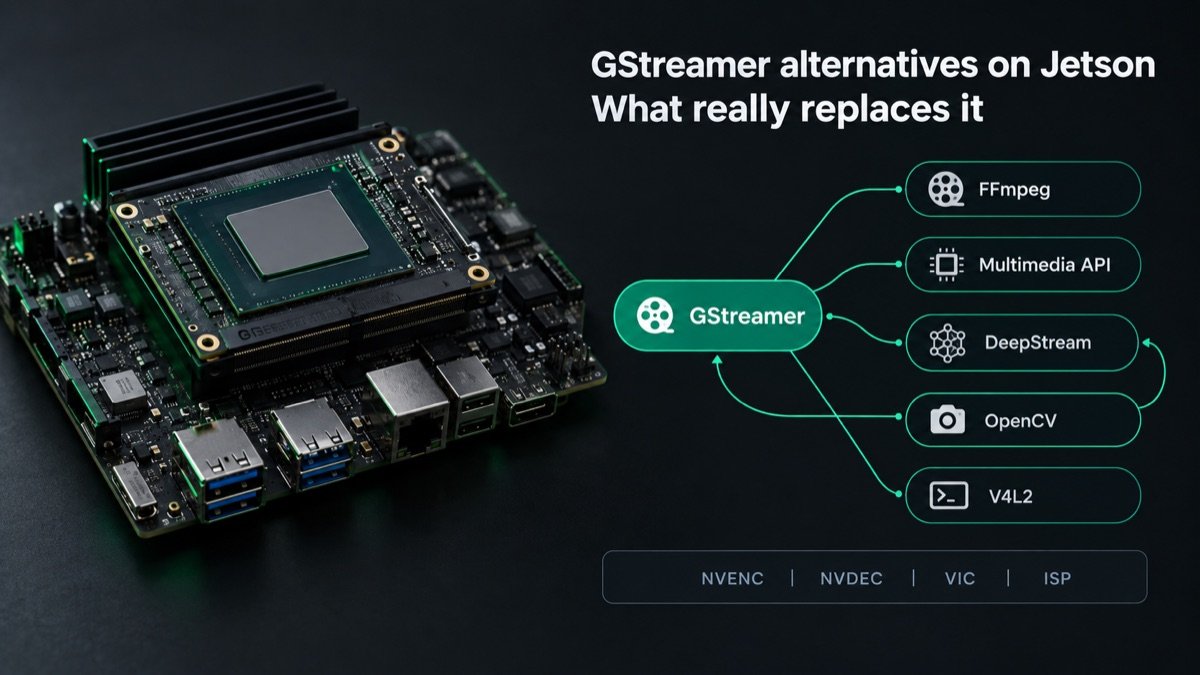
GStreamer alternatives on NVIDIA Jetson: what really replaces it
Most Jetson teams searching for a GStreamer alternative do not have a GStreamer problem. They have a pipeline that was never profiled. We know because the pipelines that reach us with “we need to get off GStreamer” in the first email usually leave with the same framework, a different element graph, and the latency they wanted.
That is not an argument for staying. There are real cases where GStreamer is the wrong tool on Jetson, and there are four alternatives worth knowing in detail. This guide covers what each one is, which job each wins, and a ten-minute test that tells you whether switching would change anything before you rewrite a working pipeline.
Key Insights
- There is no drop-in replacement for GStreamer on Jetson. Every accelerated path ends at NVENC, NVDEC, the VIC and the Argus ISP, and the alternatives are different wrappers around the same blocks
- DeepStream is not an alternative. It is GStreamer plus NVIDIA’s inference, tracking and on-screen-display plugins, and it inherits every GStreamer behavior you are trying to escape
- FFmpeg on Jetson decodes in hardware with NVIDIA’s patch and encodes in hardware only through the unsupported community jetson-ffmpeg project, which makes it a transcode tool, not a live multi-camera pipeline tool
- The Jetson Multimedia API is the layer GStreamer’s nv plugins wrap. It buys direct control of NvBufSurface buffers at the price of roughly ten times the code and all the buffer management
- The problems that drive most switch attempts are diagnosable in minutes: a software videoconvert in the path, buffers leaving NVMM memory, a missing queue, sync=true on a live sink, or Python in the frame loop
Why teams go looking for a GStreamer alternative on Jetson
The complaints are consistent. Caps negotiation fails with an error that names none of the elements involved. A pipeline that ran at 30 fps on a desktop runs at 9 fps on an Orin NX. CPU sits at 100% on one core while the GPU idles. Adding a second camera halves the frame rate of the first one. The debug output is a wall of GST_DEBUG lines that explain everything except the problem.
None of those are GStreamer being slow. Each one maps to a specific misuse of Jetson’s memory and hardware model, and each has a known fix. We documented the four patterns that kill throughput in the GStreamer pipeline performance guide, and the short version is that Jetson pipelines fail when buffers leave NVMM memory, when a CPU element sits where a hardware element belongs, or when several processes fight over the single VIC block.
The reason this matters for the alternatives question is simple. Every alternative on this list runs on the same hardware blocks with the same memory rules. If your pipeline copies frames through system RAM in GStreamer, the same design copies them through system RAM in FFmpeg or in raw Multimedia API code. Switching frameworks does not remove the constraint. It removes the tooling that makes the constraint visible.
What actually replaces GStreamer on Jetson
Short answer: nothing replaces it outright, but four options cover real jobs better than GStreamer does, and one option that looks like an alternative is not one.
| Option | What it is | When it beats GStreamer |
|---|---|---|
| FFmpeg | General media toolkit. Hardware decode on Jetson via NVIDIA’s patch; hardware encode only via community jetson-ffmpeg (nvmpi) | File transcode jobs, batch processing, simple single-stream capture to disk. Weak for live multi-camera pipelines |
| Jetson Multimedia API | The C++ layer (V4L2 codecs, Argus, NvBufSurface, EGL) that GStreamer’s nv plugins wrap | Maximum control and minimum latency when you will write and maintain roughly 10x the code |
| DeepStream | NVIDIA’s AI video framework, built on top of GStreamer, not beside it | Never as an escape from GStreamer. It is the right choice for multi-stream inference, and it is still GStreamer |
| OpenCV VideoCapture | Convenience capture API. On Jetson, the accelerated path runs through OpenCV’s GStreamer backend | Quick prototypes where pipeline control does not matter |
| libcamera / raw V4L2 | Mainline Linux camera stack, or direct V4L2 capture | Sensors that bypass the ISP on purpose, such as RAW capture for your own debayer on the GPU. Not a production path for tuned CSI cameras |
FFmpeg on Jetson: decode yes, encode maybe
NVIDIA ships a patch for FFmpeg that adds a V4L2-based hardware decoder for H.264, H.265 and the other NVDEC formats. Decode-only workflows, such as pulling frames from an RTSP source to feed a model, work well with it. Encode is the gap. NVIDIA does not provide FFmpeg hardware encode on Jetson. The community jetson-ffmpeg project fills it with the nvmpi encoder and decoder, and it works, but it trails JetPack releases, breaks on major L4T changes, and has no vendor behind it when it does.
That makes FFmpeg the right tool for transcode jobs, archival, and batch work, and the wrong tool for a live camera pipeline that needs supported hardware encode on every JetPack you will ship on.
The Jetson Multimedia API: the layer under the nv plugins
When you use nvv4l2decoder, nvvidconv or nvarguscamerasrc, you are calling the Multimedia API through a plugin. Calling it directly gives you the NvBufSurface buffer as a first-class object, explicit control of every DMA transfer, and no negotiation layer between you and the hardware.
The gain is real but bounded. Once a GStreamer pipeline keeps every buffer in NVMM memory, the hardware is doing the same work either way. What you remove is GStreamer’s scheduling overhead and its opinions about buffering, which matters when you are chasing the last few milliseconds on a single deterministic pipeline. What you take on is everything GStreamer was doing for you: threading, queueing, format conversion, error recovery, and the RTSP or WebRTC server you probably also need.
Our own experience with this trade is documented in the Python to C++ latency post. The 4x latency reduction in that engagement came from moving the frame loop out of Python and into C++ with zero-copy NvBufSurface access. The GStreamer pipeline stayed. The interpreter left.
DeepStream is GStreamer with NVIDIA’s AI plugins
This one deserves a direct statement because “DeepStream vs GStreamer” is a common search and a category error. DeepStream is a set of GStreamer plugins: nvstreammux batches streams, nvinfer runs TensorRT, nvtracker tracks objects, nvdsosd draws the overlay. The sample apps are GStreamer applications. If your team is fighting caps negotiation today, DeepStream adds elements to negotiate with.
Choose DeepStream when the job is multi-stream inference on Jetson, because the batching and zero-copy inference path is excellent. Do not choose it to leave GStreamer.
OpenCV VideoCapture on Jetson goes through GStreamer anyway
cv2.VideoCapture(pipeline_string, cv2.CAP_GSTREAMER) is the standard way to get accelerated frames into OpenCV on Jetson, and the name gives it away. The V4L2 backend avoids GStreamer, and it also avoids the ISP, the hardware color conversion and NVMM memory. You get raw CPU frames, which is acceptable for a prototype and a guaranteed bottleneck in production.
libcamera and raw V4L2: capture without the ISP
libcamera is the modern Linux camera stack and it is not NVIDIA’s. Jetson’s ISP is reached through libargus, which is what nvarguscamerasrc wraps. Capturing through raw V4L2 with v4l2src or libcamera works for sensors where you want the RAW Bayer frames untouched, for instance to run your own debayer on the GPU. For a tuned production CSI camera, Argus is the path that delivers usable images.
Which option wins by job
| Job | Best fit on Jetson | Why |
|---|---|---|
| Live CSI or GMSL2 camera capture | GStreamer (nvarguscamerasrc) | Only supported route through the Argus ISP |
| Hardware encode for streaming | GStreamer (nvv4l2h264enc / nvv4l2h265enc) | Supported NVENC path on every JetPack |
| RTSP or WebRTC server | GStreamer (gst-rtsp-server, webrtcbin) | Nothing else on the list includes a server |
| Multi-stream inference | DeepStream (still GStreamer) | nvstreammux batching and zero-copy nvinfer |
| File transcode, archival, batch | FFmpeg | Simpler tooling, hardware decode is supported |
| Single deterministic pipeline, latency budget in single-digit ms | Jetson Multimedia API | Direct NvBufSurface control, no scheduler in the way |
| RAW sensor capture for custom GPU processing | Raw V4L2 | Bypasses the ISP by design |
| Prototype in a notebook | OpenCV with the GStreamer backend | Fast to write, and honest about what it is |
Read the table as a map of jobs, not a ranking. Most Jetson products need three or four rows at once, and the framework that covers the most rows without a rewrite is the one that already wraps every block.
The ten-minute test before you switch
Before any rewrite, measure where the frames spend their time. We released gst-profile for exactly this. It is a stdlib-only Python tool, MIT licensed, verified on a real Orin NX, and it ranks per-element time and flags the three faults that account for most “GStreamer is slow” reports: a zero-copy break where buffers leave GPU memory and come back, a software element doing work a hardware block should do, and a missing queue that pins the whole pipeline to one thread.
While it runs, check the five things we find most often:
- A
videoconvertanywhere in the path. On Jetson it copies every frame through system RAM.nvvidconvdoes the same job on the VIC and stays in NVMM. - Buffers leaving NVMM memory. Look for
video/x-rawcaps without(memory:NVMM)between twonvelements. Each break costs two DMA copies per frame. sync=trueon a live sink. The default presentation clock adds tens to hundreds of milliseconds. Settingsync=falseon the output sink is the single largest latency fix on a live camera pipeline, as measured in our end-to-end latency guide.- Several GStreamer processes sharing the VIC.
nvvidconvinstances in separate processes serialize on one hardware block, and throughput can fall five to ten times. The fix is one process for all pipelines, not a new framework. - Python in the frame loop. On Jetson CV pipelines, interpreter overhead is typically 30 to 45 percent of end-to-end latency. Moving the loop to C++ fixes that inside GStreamer.
If the profile comes back clean and the pipeline is still outside its budget, you have a real reason to consider the Multimedia API. If it comes back with any of the five, you have a pipeline fix, and it is usually a one-session fix.
When switching is the right call
Stay on GStreamer when the product needs live camera capture through the ISP, supported hardware encode, a streaming server, or multi-camera composition. That describes most Jetson vision products, and the working pipeline examples cover the standard topologies.
Move to the Jetson Multimedia API when you have one fixed pipeline, a latency budget that GStreamer’s scheduler measurably breaks after profiling, and an engineer who will own buffer management for the life of the product. Budget the rewrite honestly: the live streaming pipeline is a few dozen characters in GStreamer and a few thousand lines in the Multimedia API.
Use FFmpeg when the job is offline: transcoding recordings, extracting frames for a dataset, or decoding a file to feed a model once. Keep it away from live encode unless you accept an unsupported codec path.
Use DeepStream when the job is inference across many streams. Go in knowing it is GStreamer, and bring the same NVMM discipline.
Use raw V4L2 when you want the sensor’s RAW output on purpose. The rest of the stack, including the nvcompositor versus parallel pipelines question, stays in GStreamer.
What we see on client projects
The pattern repeats often enough to state plainly. A team arrives certain that GStreamer is the bottleneck. The profile shows a videoconvert that nobody remembers adding, three processes queued on the VIC, or a queue with the default 200-frame buffer on a live feed. The fix lands in a working session, the frame rate comes back, and the framework question disappears. The rare exception is a single-pipeline product with a hard real-time budget, where the Multimedia API rewrite is justified and we scope it as its own milestone.
The expensive outcome is the middle path: a partial migration to FFmpeg or hand-written V4L2 code that removes the parts of GStreamer that were working, keeps the memory copies that were not, and adds a codebase with no upstream. If you are considering that path, profile first.
When to call a specialist
Pipeline fixes are bounded work. If profiling points at a design problem, an unusual sensor combination, or a latency budget that needs the Multimedia API, the GStreamer development service page describes how we scope that as a fixed-bid milestone with a working result at the end of it, rather than an open-ended rewrite.
Relevant Services
NVIDIA Jetson Expert Support
Stuck on a Jetson bring-up?
We've debugged this failure mode before. BSP, device tree, camera pipelines, OTA, most blockers clear in the first session. No long retainers. No guessing.
Frequently Asked Questions
Is there a drop-in replacement for GStreamer on NVIDIA Jetson?
No. Every hardware-accelerated path on Jetson ends at the same blocks: NVENC and NVDEC for codecs, the VIC for scaling and color conversion, the ISP through Argus for CSI cameras. GStreamer's nv plugins wrap those blocks. The alternatives either wrap them differently (the Jetson Multimedia API, patched FFmpeg) or sit on top of GStreamer without telling you (DeepStream, OpenCV's accelerated capture). Which one fits depends on the job, not on a general ranking.
Is DeepStream an alternative to GStreamer?
No. DeepStream is a set of NVIDIA GStreamer plugins (nvstreammux, nvinfer, nvtracker, nvdsosd) plus sample apps. Choosing DeepStream is choosing GStreamer with NVIDIA's inference and tracking elements added. If your problem is GStreamer itself, DeepStream inherits it.
Can I use FFmpeg with hardware encoding on Jetson?
Partially. NVIDIA publishes an FFmpeg patch that enables hardware-accelerated decode on Jetson through a V4L2-based decoder. Hardware encode in FFmpeg only exists through the community jetson-ffmpeg project (the nvmpi codecs), which is not supported by NVIDIA and lags JetPack releases. For encode-heavy live pipelines, GStreamer's nvv4l2h264enc and nvv4l2h265enc remain the supported path.
Is the Jetson Multimedia API faster than GStreamer?
It uses the same hardware, so the ceiling is identical. It removes GStreamer's scheduling and negotiation overhead, and it gives you direct control of NvBufSurface buffers, which can shave latency when every frame is zero-copy. A correctly configured GStreamer pipeline that stays in NVMM memory gets most of that benefit already. The Multimedia API costs you roughly ten times the code and all of the buffer management, so the trade is control for engineering time.
Does OpenCV VideoCapture avoid GStreamer on Jetson?
Not on the accelerated path. cv2.VideoCapture with a pipeline string uses OpenCV's GStreamer backend, so nvarguscamerasrc and nvvidconv are still doing the work underneath. The V4L2 backend skips GStreamer but hands you CPU frames with no hardware conversion, which is fine for prototypes and wrong for production camera pipelines.
Does libcamera work on Jetson?
Not as the supported camera path. NVIDIA's ISP is exposed through libargus, and nvarguscamerasrc is the GStreamer front end for it. libcamera can drive a sensor through raw V4L2 without the ISP, which means no tuned demosaic, white balance or noise reduction. For a production CSI camera on Jetson, Argus remains the path that works.

Written by
Andrés CamposCo-Founder & CTO · ProventusNova
8 years deep in embedded systems, from underwater ROVs to edge AI. Andrés leads every technical delivery personally.
Connect on LinkedInRelated Articles
GStreamer pipeline performance on Jetson: fix slow pipelines
Fix slow GStreamer pipelines on NVIDIA Jetson. Replace videoconvert with nvvidconv, use nvv4l2decoder, and keep data in NVMM to cut CPU load by 60–80%.
Argus camera driver on Jetson: nvarguscamerasrc setup, ISP pipeline, and debugging
Set up the Argus camera driver on NVIDIA Jetson: nvargus-daemon, nvarguscamerasrc pipelines, LibArgus C++ API, ISP features, and common Argus errors debugged.
How to create a hardware-accelerated GStreamer pipeline for live streaming on Jetson
Build a low-latency GStreamer live streaming pipeline on NVIDIA Jetson using nvv4l2h264enc and udpsink or gst-rtsp-server. RTSP, UDP, and SRT examples.
nvarguscamerasrc pipeline examples for Jetson
nvarguscamerasrc pipeline examples for Jetson, copy-paste commands for capture, encode, decode, plus when to use v4l2src instead.