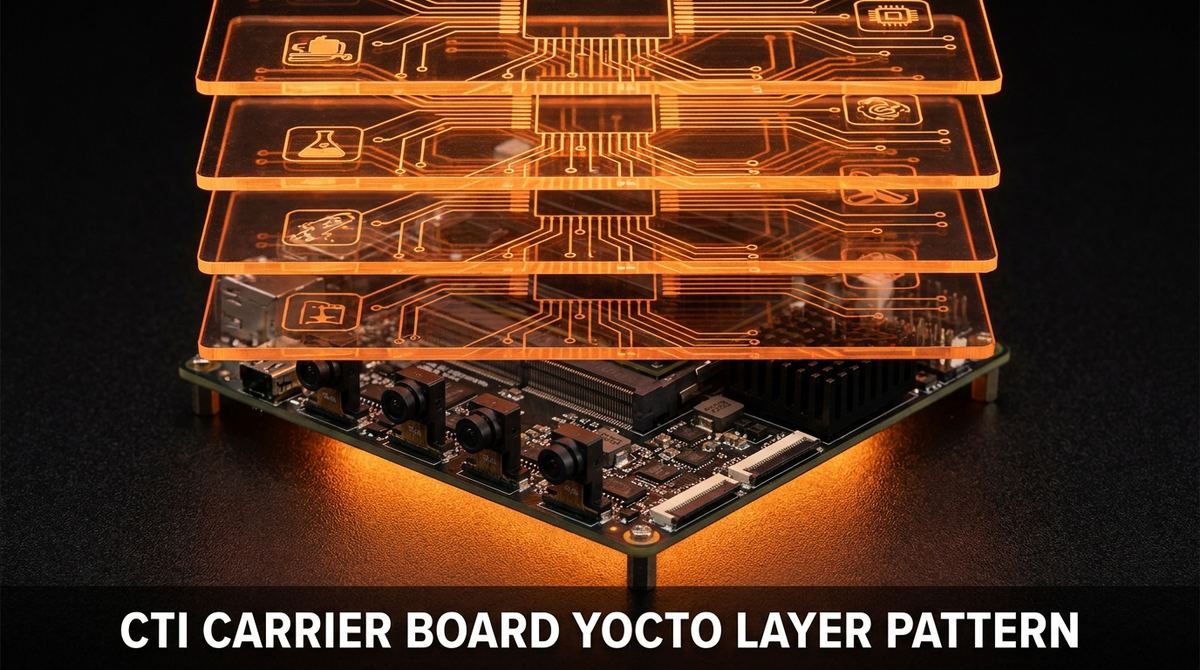
CTI Carrier Board Yocto Layer: Two-Tier Wrapper Pattern
A CTI carrier board Yocto layer only holds up long-term if you never edit the vendor’s files directly. Connect Tech Inc. ships meta-cti as a complete BSP layer for their Boson-family carrier boards running Jetson Orin NX modules, and the moment someone copies one of CTI’s machine configs into a project layer and starts editing it, that project has forked a vendor BSP it doesn’t control. We ran into this on an Orin NX bring-up where the ask sounded simple: add a camera overlay device tree for a sensor CTI doesn’t ship by default. The fix was a two-tier layer split that lets meta-cti keep updating on its own schedule while the camera work sits cleanly on top of it.
Key Insights
require, not fork. Your wrapper machine config pulls in CTI’s base machine file withrequire conf/machine/cti-orin-nx-boson-<board>.confand overrides only what changes, mainlyKERNEL_DEVICETREE.- Ownership splits cleanly by directory, not by file edits. CTI owns the base machine, the base carrier DTS, and default kernel/bootloader providers. Your distro layer owns the camera overlay DTS, the image recipe, and package selection.
- The Makefile entry triggers the DTB build, not the DTS file alone. Dropping a new
.dts/.dtsipair into CTI’s kernel-hardware tree does nothing until a bbappend adds a corresponding line tonvidia-kernel-oot’s Makefile. - Pull only the files you need from the vendor tarball. CTI distributes a full
cti-l4t-srctarball; extract the specific DTS/DTSI paths for your variant withtar -xOf, don’t unpack and copy the whole tree into your layer. - A vendor BSP update becomes a version bump, not a merge, once the split is in place. Everything CTI owns can move without touching a single file your team maintains.
Fixing a CTI carrier board Yocto layer that’s been forked
The failure mode we see most often on Connect Tech carrier boards starts the same way: an engineer needs a camera variant CTI doesn’t ship, copies cti-orin-nx-boson-<board>.conf into the project’s own layer, renames it, and starts editing device tree entries directly. It works. The board boots, the camera comes up, the milestone closes. Then CTI ships a BSP update for the next JetPack release, and now someone has to diff the old vendor machine config against the new one, line by line, and manually re-apply every custom edit into the new file. On the second update, that diff gets harder because the custom edits and the vendor’s own changes have started overlapping in the same regions of the file.
The two-tier pattern avoids this by never letting your changes and the vendor’s changes live in the same file. Your distro layer, call it meta-yourdistro, has its own machine config that requires CTI’s machine config rather than copying it:
# conf/machine/yourdistro-orin-nx-boson-<board>.conf
require conf/machine/cti-orin-nx-boson-<board>.conf

MACHINEOVERRIDES =. "yourdistro:"

# Point the kernel device tree at your camera overlay instead of CTI's default
KERNEL_DEVICETREE:append = " \
    tegra234-orin-nx-cti-<board>-<sensor>-<n>cam.dtb \
"

# Anything else your product needs on top of the base carrier
MACHINE_FEATURES += "wifi bluetooth"
This is the entire wrapper. When CTI ships a new BSP release, you bump the reference to their updated machine file (or it updates automatically if you’re tracking their layer as a submodule), rebuild, and your KERNEL_DEVICETREE:append and MACHINE_FEATURES additions carry forward untouched. There’s no file to diff, because there was never a copy to diverge from.
The Connect Tech BSP track record we’ve covered when comparing third-party Jetson carrier board vendors is one of the better ones in the market, largely because CTI keeps their machine configs and kernel Makefiles in a predictable, requireable shape release over release. That predictability is exactly what the two-tier pattern depends on. If a vendor restructures their layer wholesale on every release, require still protects you (the build fails loudly instead of silently drifting), but the rework on your side goes up regardless of layering discipline.
Splitting ownership between meta-cti and your distro layer
The two-tier split isn’t just the machine config. Every piece of the BSP has a clear owner, and the rule is simple: if CTI ships it and validates it against their hardware, they own the file; if it’s specific to your camera, your image, or your product, it lives in your layer.
Owned by meta-cti (vendor) | Owned by your distro layer (you) |
|---|---|
conf/machine/cti-orin-nx-boson-<board>.conf (base board machine) | conf/machine/yourdistro-orin-nx-boson-<board>.conf (wrapper machine) |
Base carrier DTS (tegra234-orin-nx-cti-<board>.dts) | Camera overlay DTS (tegra234-orin-nx-cti-<board>-<sensor>-<n>cam.dts) |
| Default kernel and bootloader providers | Image recipe, package selection, distro features |
| Carrier-specific binary blobs and firmware | nvidia-kernel-oot bbappend that adds your DTBs to the OOT Makefile |
meta-cti’s own CI config | Your CI job, one per machine |
Read that table as a checklist during code review. Any pull request that touches a file in the left column is a sign someone reached into vendor territory instead of overriding it from the right column, most commonly a new sensor node hand-edited directly into CTI’s base carrier DTS instead of added as a new overlay DTSI in the project layer. Catching that in review before it merges is what keeps the base DTS identical to what CTI ships, which is the entire point of the pattern.
Wiring the camera overlay DTB into CTI’s kernel build
Adding a device tree file to the right directory is necessary but not sufficient. CTI’s nvidia-kernel-oot recipe builds DTBs from a Makefile under a fixed path in their kernel-hardware tree:
recipes-kernel/nvidia-kernel-oot/files/hardware-<vendor>/nvidia/t23x/cti-public/orin-nx-nano/
├── cti_camera/
│   ├── tegra234-orin-nx-cti-<board>-<n>cam-base.dtsi   # base camera overlay
│   └── tegra234-orin-nx-cti-<board>-<sensor>-<n>cam.dtsi
└── orin-nx/
    ├── Makefile                                          # add new entries here via bbappend
    └── tegra234-orin-nx-cti-<board>-<sensor>-<n>cam.dts
Five steps get a new camera variant from source to a bootable DTB:
-
Write the wrapper machine config first. It’s the file that ties everything else together, and getting
requireandKERNEL_DEVICETREE:appendright early avoids chasing a “DTB not found” error later that’s really a machine-config typo. -
Add the DTS/DTSI pair under the vendor’s existing hardware directory. Match the naming convention CTI already uses (
tegra234-orin-nx-cti-<board>-<sensor>-<n>cam.dts), placed in your bbappend’sFILESEXTRAPATHS, not directly insidemeta-cti. -
bbappend
nvidia-kernel-ootto add a line to the Makefile. This is the step people skip and then can’t figure out why their DTB never shows up in the deploy directory. The.dtsfile compiling on its own means nothing to BitBake until the Makefile references it. -
Extract only the source files you need from CTI’s L4T tarball, rather than unpacking the whole archive into your layer:
tar -xOf <cti-tarball>.tar \
  sources/kernel/hardware/nvidia/t23x/cti-public/orin-nx-nano/cti_camera/tegra234-orin-nx-cti-<board>-<n>cam-base.dtsi \
  > /tmp/<board>-base.dtsi
Keep the tarball itself out of source control and note its archived location in your bring-up notes so the next engineer knows where it came from.
-
Build and confirm the DTB lands in the deploy output (
tmp/deploy/images/<machine>/) before flashing. A missing DTB at this stage almost always traces back to step 3, a Makefile entry that didn’t get added, rather than a device tree syntax error.
Keeping deploy and CI ready for the next camera variant
The layering discipline only pays off if the surrounding tooling doesn’t quietly assume there’s one machine. Two habits keep that true.
Keep deploy.sh generic across variants. A select-menu script that composes the flash artifact name from image and machine choices doesn’t need to know anything about camera specifics, because the artifact name is deterministic: <image>-<machine>.rootfs.tegraflash.tar.zst. Add a new camera variant, and the deploy script already knows how to flash it, no changes needed.
Keep CI per-machine rather than one matrix job covering every board. A build:<machine> job parameterized by MACHINE gives a clean failure surface when a single variant breaks, and lets you skip machines selectively when a meta-cti update only touches one board in the fleet. A single matrix job that builds every variant in one pipeline stage makes it harder to tell at a glance which board broke, and it forces a full rebuild even when only one machine needs it.
The same require-and-override discipline applies outside Jetson too. On MediaTek Genio, wrapping meta-mediatek-bsp and meta-rity with a product-specific meta-layer follows the identical logic: bbappend the vendor’s recipes, scope patches to your machine name, and never edit the upstream layer’s files directly. The vendor and the SoC change. The rule that keeps a BSP maintainable across upgrades doesn’t.
Frequently Asked Questions
What is the meta-cti Yocto layer?
meta-cti is Connect Tech Inc.’s Yocto BSP layer for their Jetson carrier boards, including the Boson-family carriers paired with Orin NX modules. It ships the base machine configuration, the base carrier device tree, and the default kernel and bootloader providers for each board CTI supports.
Should I fork meta-cti or wrap it with my own layer?
Wrap it. Create a distro layer whose machine config uses require to pull in CTI’s machine file, then override only what changes, typically KERNEL_DEVICETREE for a camera overlay. Forking means manually re-applying every custom change on top of every vendor BSP update, and that gets more expensive with each release.
How do I add a custom camera overlay DTB to a Jetson Orin NX carrier board in Yocto?
Write the DTS/DTSI overlay under the same hardware directory tree the vendor’s nvidia-kernel-oot recipe already scans, then bbappend that recipe to add your new file to the OOT kernel’s Makefile. The Makefile entry is what triggers the DTB build. Point KERNEL_DEVICETREE at the resulting .dtb from your wrapper machine config.
What is the difference between require and include in a Yocto machine configuration?
Both pull in another file’s contents at parse time. require fails the build immediately if the file is missing or moved. include fails silently and the parse continues without it. For a vendor-wrapping machine config, require is the right choice: if a CTI BSP update renames or restructures their machine file, the build tells you at the next run instead of shipping a config that silently stopped pulling in vendor settings.
How do CTI BSP updates affect a custom distro layer built on meta-cti?
If your distro layer only requires the CTI machine config and overrides variables instead of copying files, a vendor BSP update is a version bump and a rebuild, not a merge. Your camera overlay DTB, kernel bbappend, and image recipe stay in your layer untouched. The only real risk is CTI restructuring a path your bbappend depends on, which is exactly why a loud require failure is a feature and not just an inconvenience.
ProventusNova helps hardware startups solve embedded systems problems fast. See our Custom Board Bring-up service.
Relevant Services
NVIDIA Jetson Expert Support
Stuck on a Jetson bring-up?
We've debugged this failure mode before. BSP, device tree, camera pipelines, OTA, most blockers clear in the first session. No long retainers. No guessing.
Frequently Asked Questions
What is the meta-cti Yocto layer?
meta-cti is Connect Tech Inc.'s own Yocto BSP layer for their Jetson carrier boards, including the Boson-family carriers used with Orin NX modules. It ships the base machine configuration, the base carrier device tree, and the default kernel and bootloader providers for each supported board.
Should I fork meta-cti or wrap it with my own layer?
Wrap it. Create a distro layer with a machine config that uses the require directive to pull in CTI's machine file, then override only what you need, typically the KERNEL_DEVICETREE variable for a camera overlay. Forking meta-cti means manually re-applying every change on every vendor BSP update, which gets more expensive and more error-prone each release.
How do I add a custom camera overlay DTB to a Jetson Orin NX carrier board in Yocto?
Write the DTS/DTSI overlay files, add them under the same hardware directory tree the vendor's nvidia-kernel-oot recipe already scans, then bbappend that recipe to add your new file to the OOT kernel's Makefile. The Makefile entry is what triggers the DTB build. Point KERNEL_DEVICETREE at the resulting .dtb in your wrapper machine config.
What is the difference between require and include in a Yocto machine configuration?
Both pull in another file's contents at parse time. require fails the build immediately if the file is missing or moved. include fails silently and continues the parse without it. For a vendor-wrapping machine config, require is the right choice: if a CTI BSP update renames or restructures their machine file, you find out at the next build instead of shipping a config that silently stopped pulling in vendor settings.
How do CTI BSP updates affect a custom distro layer built on meta-cti?
If your distro layer only requires the CTI machine config and overrides variables rather than copying CTI's files, a vendor BSP update is a version bump and a rebuild, not a merge. Your camera overlay DTB, kernel bbappend, and image recipe stay in your layer untouched. The risk only shows up if CTI restructures a path your bbappend depends on, which is why a require failure is a feature, not just a build inconvenience.

Written by
Aarón AnguloCo-Founder & CEO · ProventusNova
Obsessed with client outcomes. Aarón ensures every engagement delivers real results, on time, on scope, no exceptions.
Connect on LinkedInRelated Articles
Custom Carrier Board Not Booting on Jetson Orin: Fixed in One Session
Custom carrier board not booting on Jetson Orin? Farmhand AI's board booted in one session. Three BSP parameters cause most Jetson bring-up failures.
DWC3 error -71 on Jetson: the JetPack 6 clock reference fix
dwc3 error -71 on Jetson Orin under JetPack 6 means a missing ref clock in the device tree. Here's the exact dmesg pattern, why it regressed in L4T R36.
Ethernet PHY bring-up on Jetson Orin: DP83867 and EQOS RGMII
TI DP83867 PHY not working on Jetson Orin custom carrier board? Here are the EQOS RGMII timing, MDIO pinmux, and device tree configuration issues that.
Jetson A/B OTA updates: what breaks on custom carrier boards
Jetson Orin A/B slot OTA updates fail differently on custom carrier boards than on devkits. Slot switching not persisting, rollback protection blocks, and.